
KeptCV
Design a polished CV on your phone or tablet: 26 designer themes, a live preview, an ATS-optimised mode and pixel-perfect PDF and Word export. Fully offline.
Drag through the app
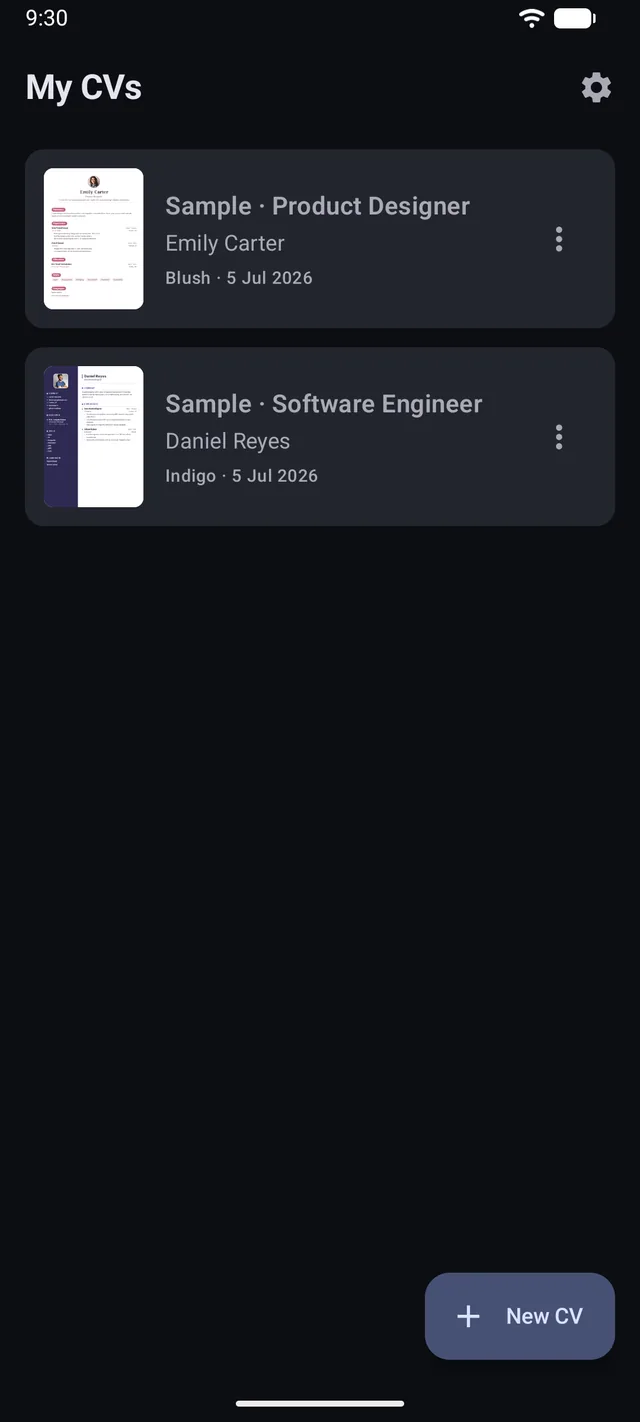
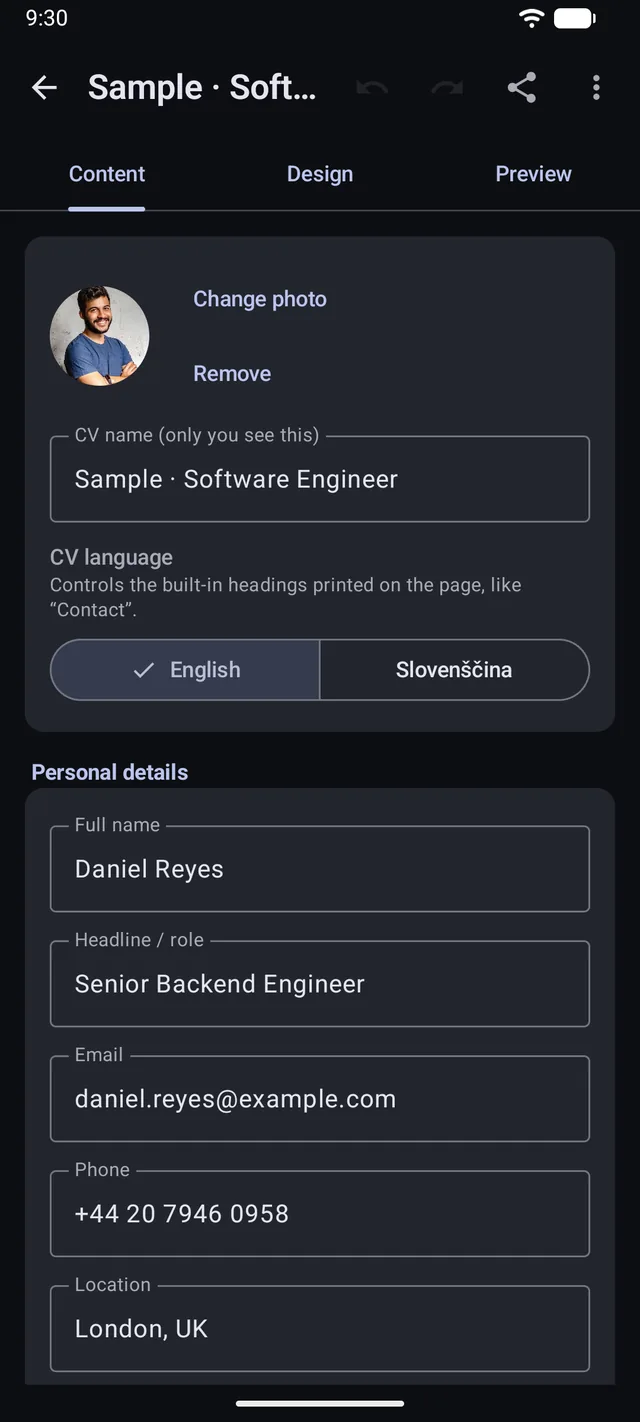
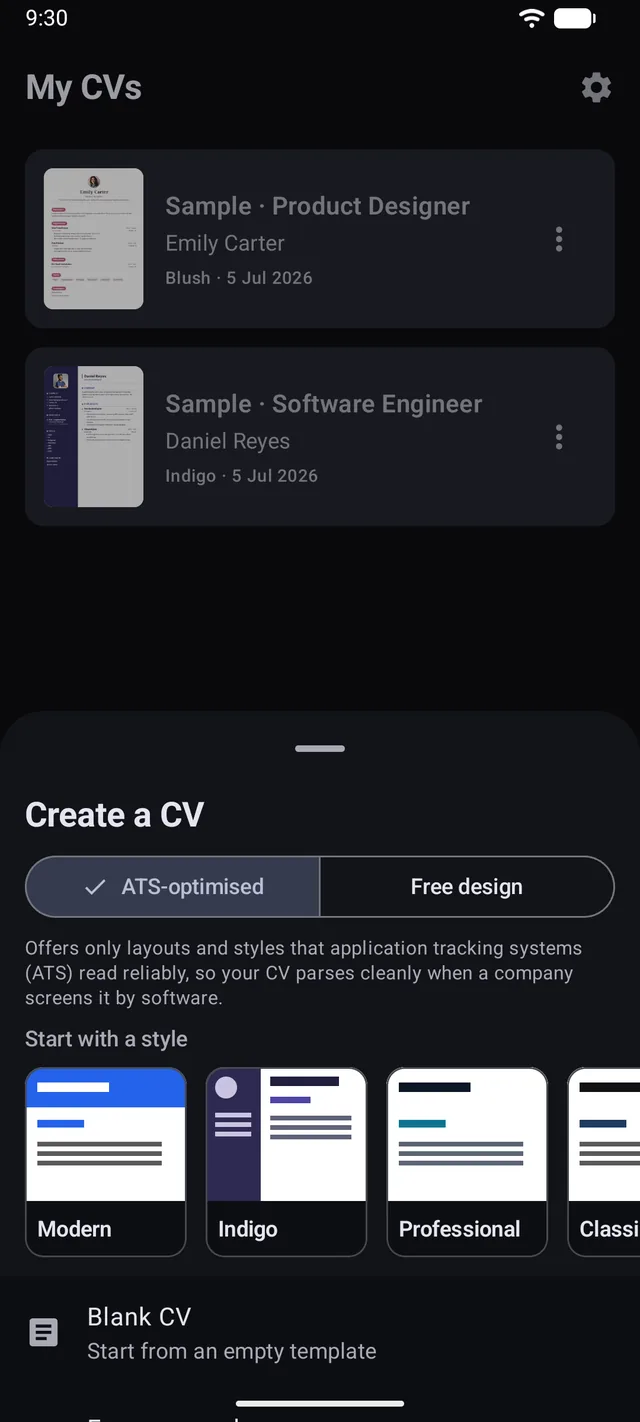
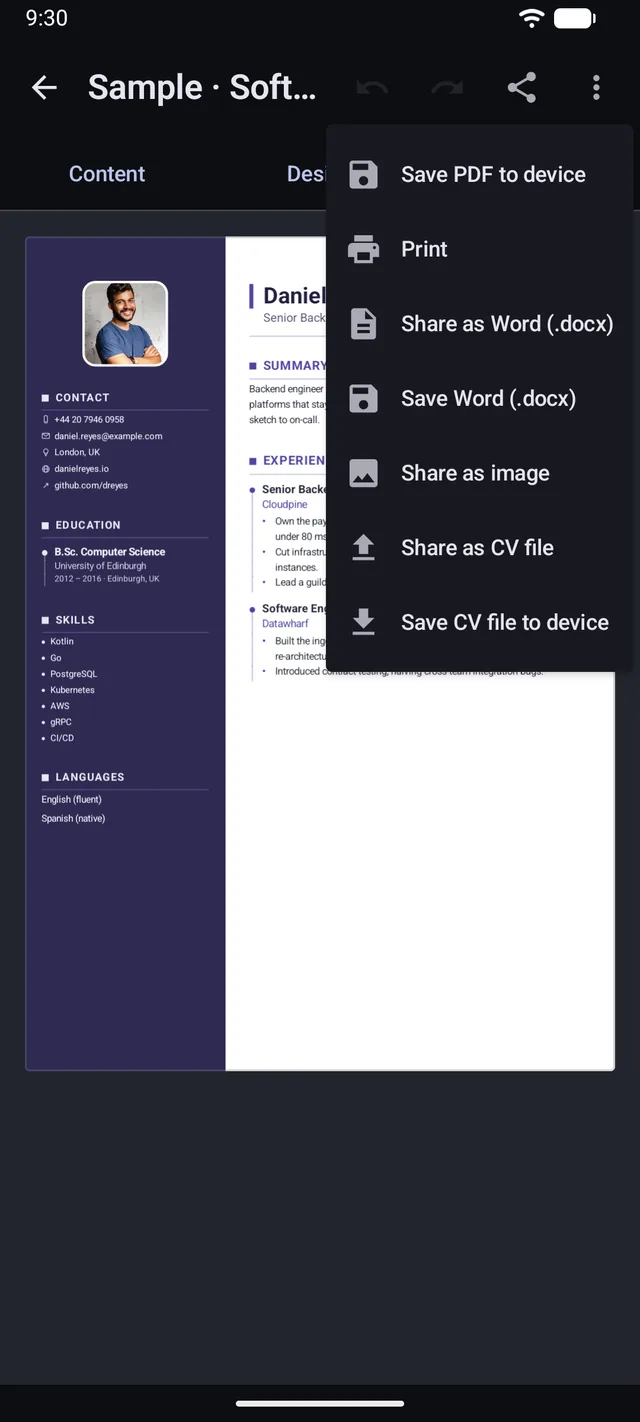
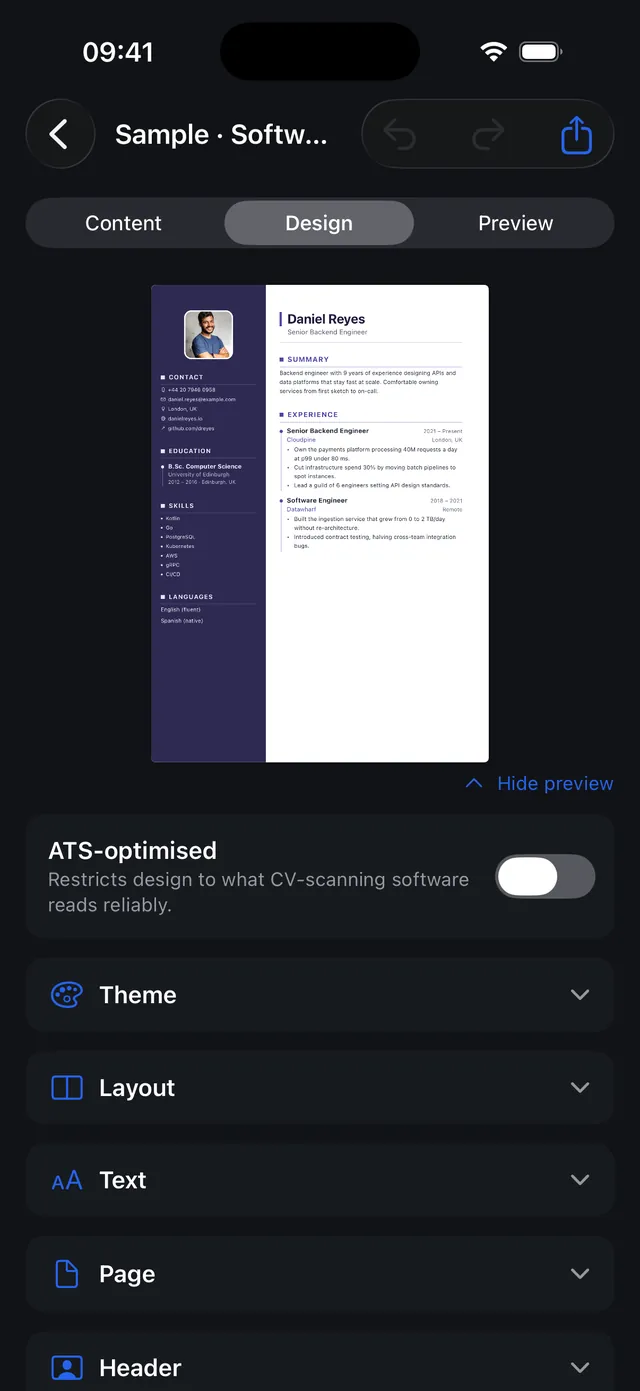
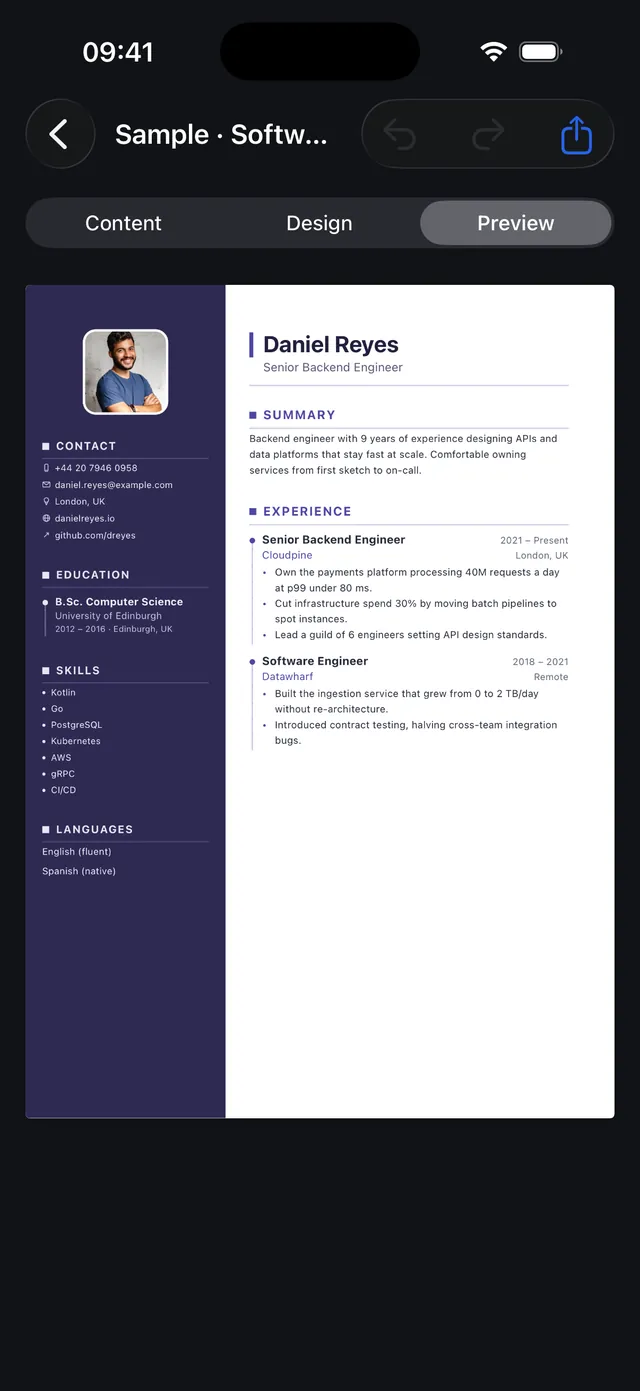
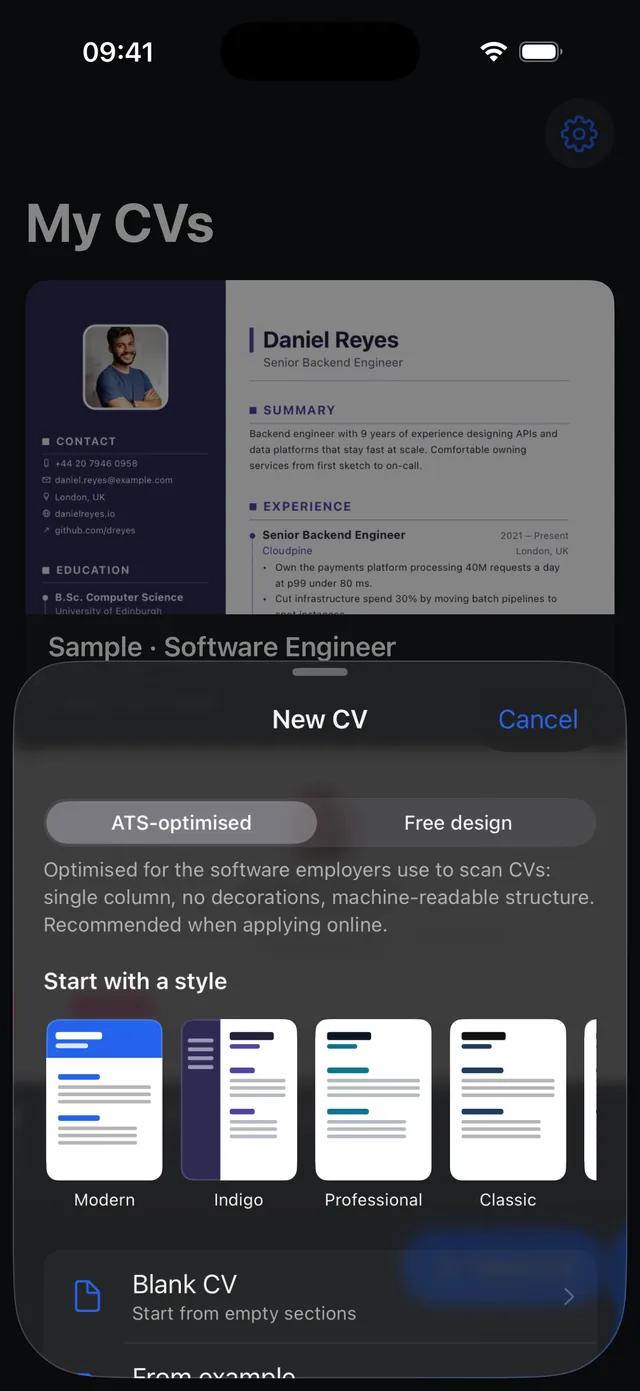
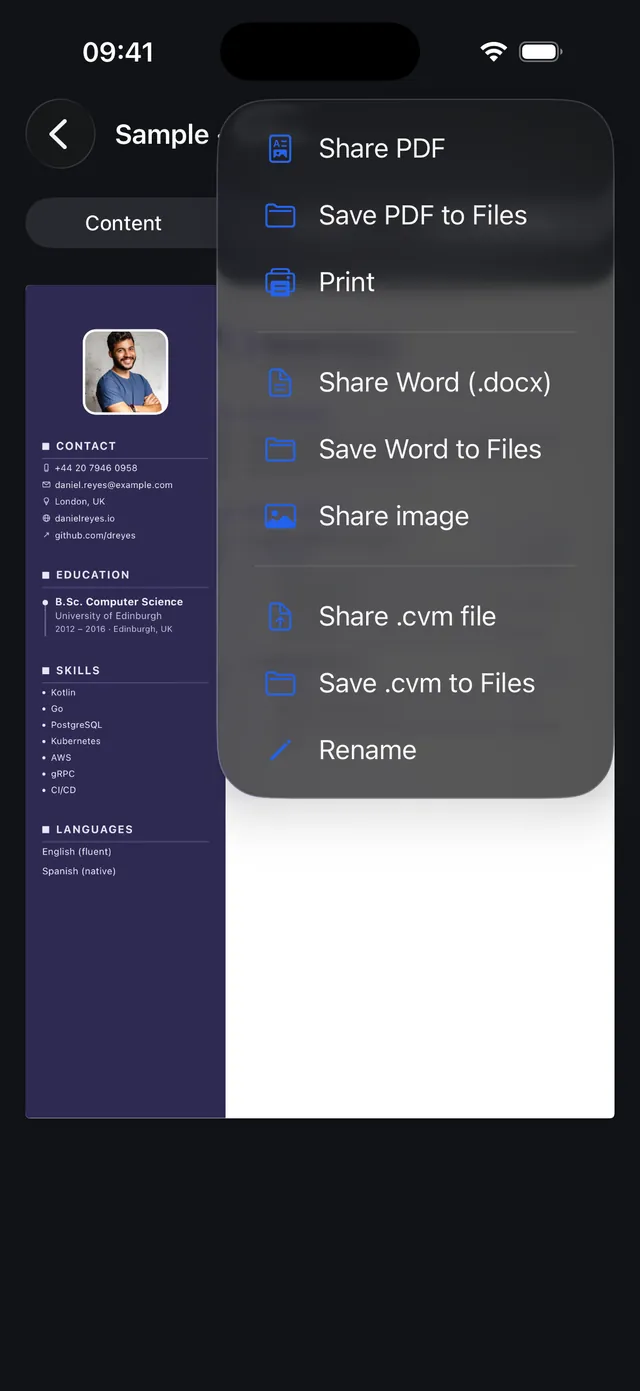
A CV that looks designed, not templated
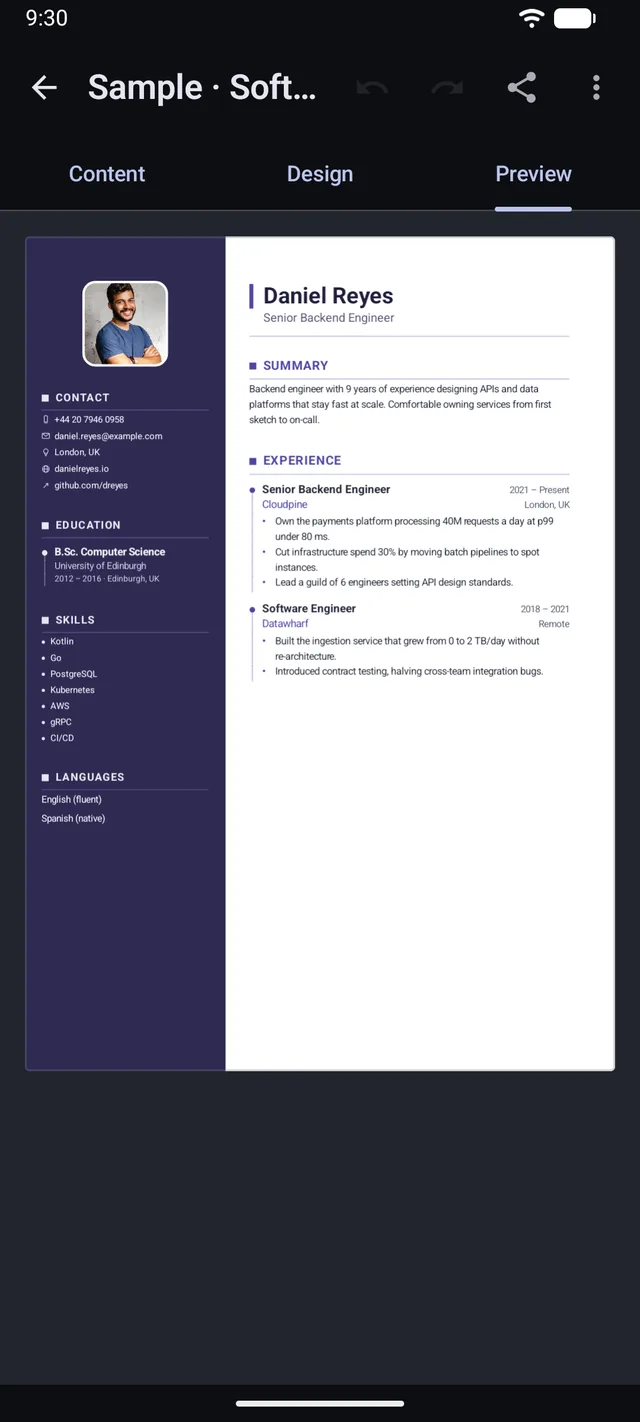
One engine renders the on-screen preview and the exported file, so what you see is what you get, down to the pixel. Pick a theme, arrange your sections, and export a crisp A4 or US Letter PDF, a clean Word file, or a portable .cvm you can open on another device.
26 designer themes
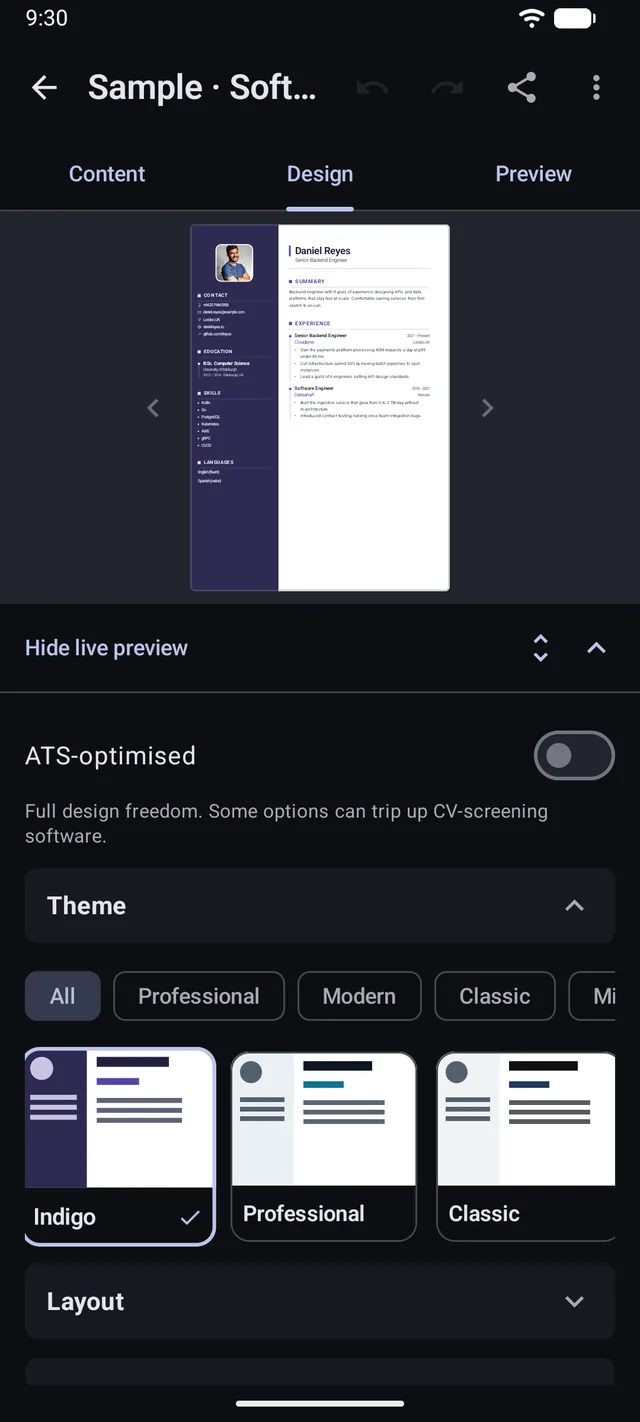
Modern, Indigo, Elegant Dark, Gold, Ocean, Blush, Emerald, Crimson and more, sorted into Professional, Modern, Classic, Minimal and Bold. Try one with a tap.
One- or two-column layouts
A classic single column or a full-height sidebar on either side. Send any section, your photo and your contacts into the sidebar.
Live preview, exactly your PDF
One engine renders the on-screen preview and the exported file, so what you see is what you get, down to the pixel.
Control every detail
Accent, heading and page colours with a built-in colour wheel, font pairings, spacing, margins, page borders, bullet and chip styles, and subtle background patterns.
Export to PDF, Word, print and share
Crisp multi-page A4 or US Letter PDF with selectable text, plus a clean Word (.docx) file. Print via the system dialog, save to your device, or share the first page as an image.
ATS-optimised mode
One clean column, text a parser can read, a clear dated history, and your photo left alone, so screening software can follow the page.
Move CVs between devices
Export a CV as a portable .cvm file and open it on another phone or tablet. Content, design, settings and photo arrive exactly as you left them.
Skill and language levels
Give each skill or language a proficiency level and show it as neat dots or a bar on the page, or leave it as a plain list.
Add your photo
Circle, rounded or square, sized to taste and auto-rotated. Images are copied into the app's private storage, never uploaded.
Undo, reorder, duplicate
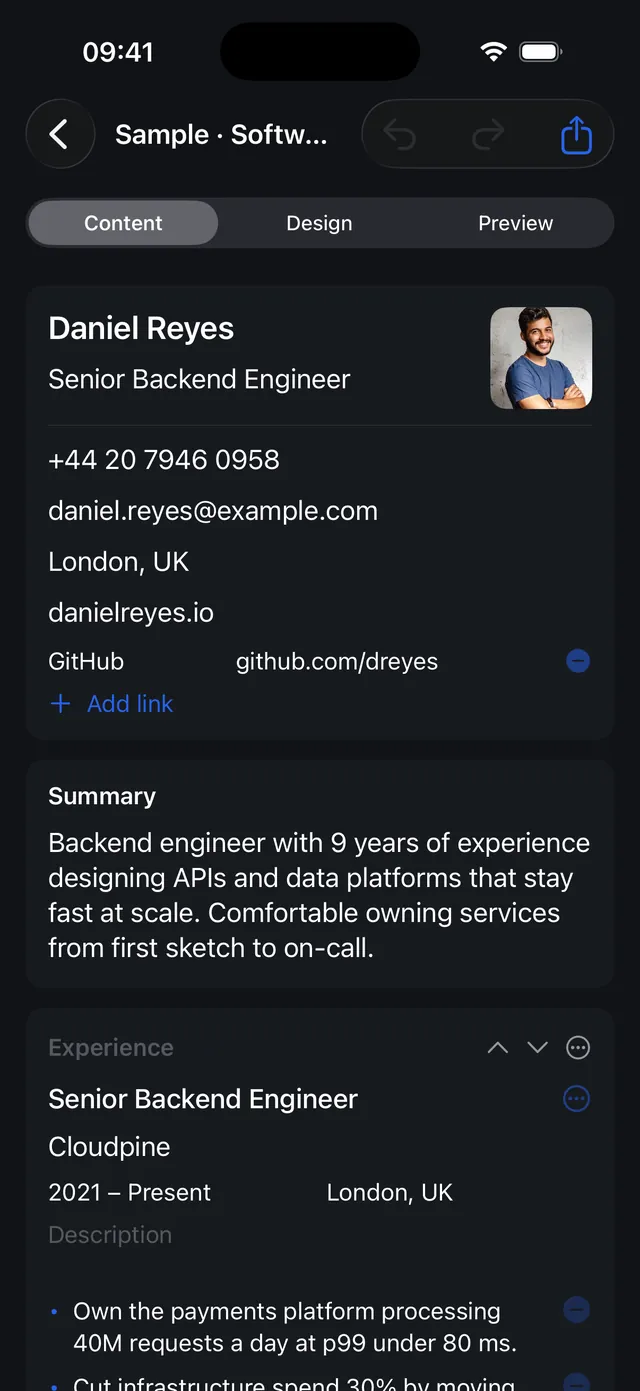
Every edit is undoable. Reorder sections and entries, duplicate them, and hide any section without deleting its content.
English and Slovenian
A localised app, and a language per CV that sets the built-in headings on the page, so an exported CV always reads in the right language.
Made for tablets and foldables, too
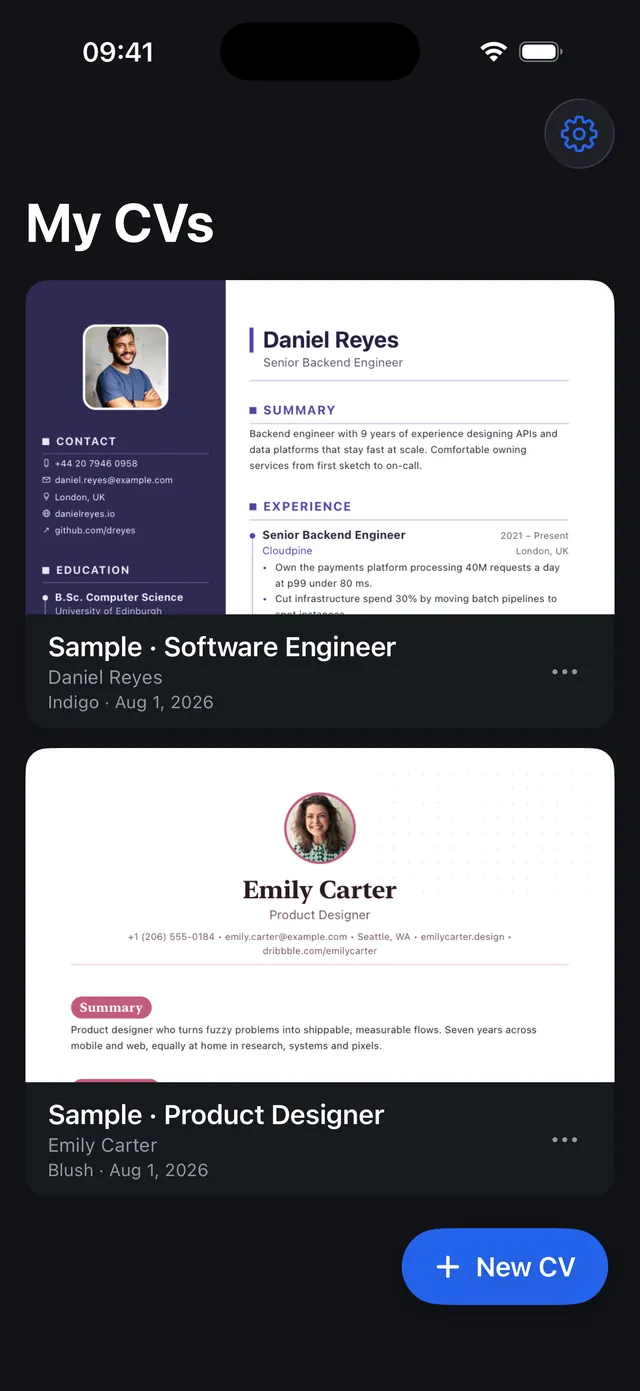
KeptCV is not a stretched phone app. On a 10-inch tablet, an unfolded foldable or any wide window it opens into a two-pane workspace: the editor on the left, a live preview of the finished page on the right, so every change lands in front of you as you type, and the same holds on iPad. The home library spreads into a multi-column grid, longer CVs preview as a two-page spread, and a half-folded phone can split the editor and preview across the crease. Rotate, fold or resize the window and the layout re-flows to fit, with your work exactly where you left it.
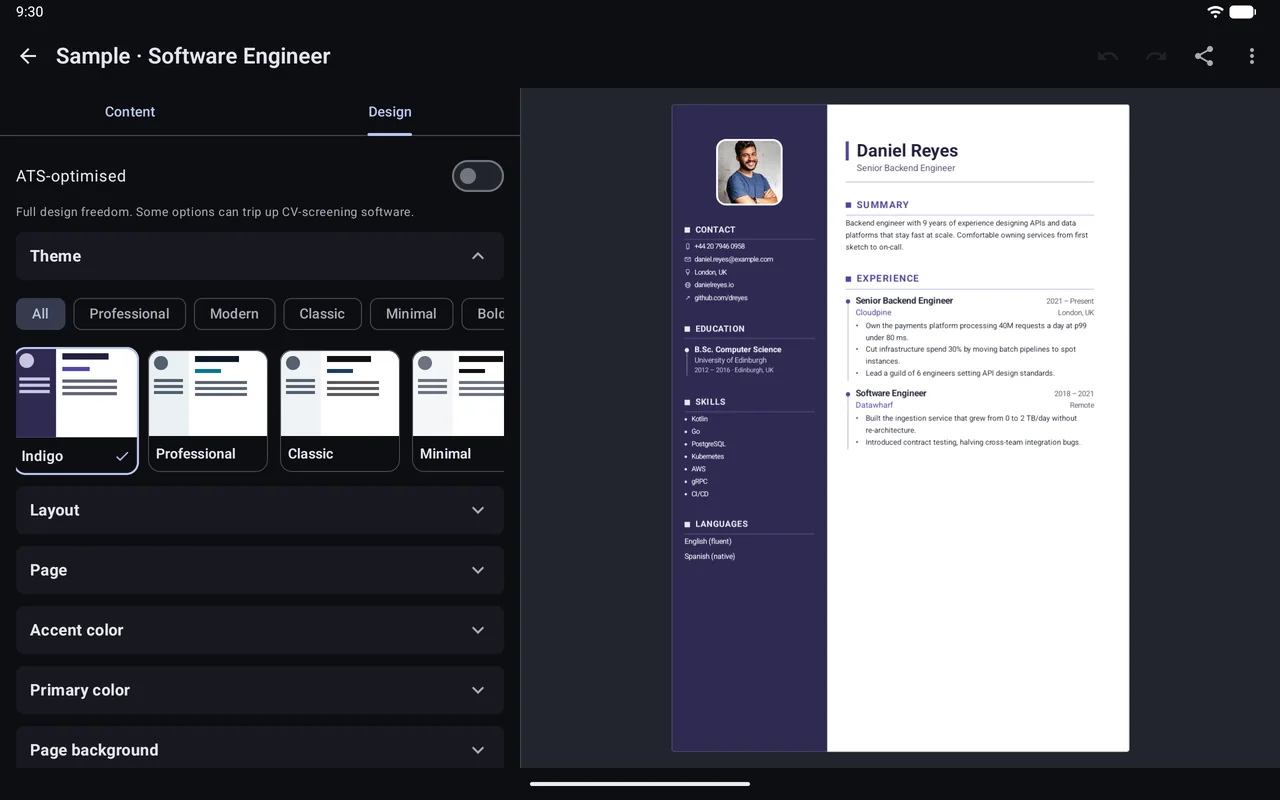
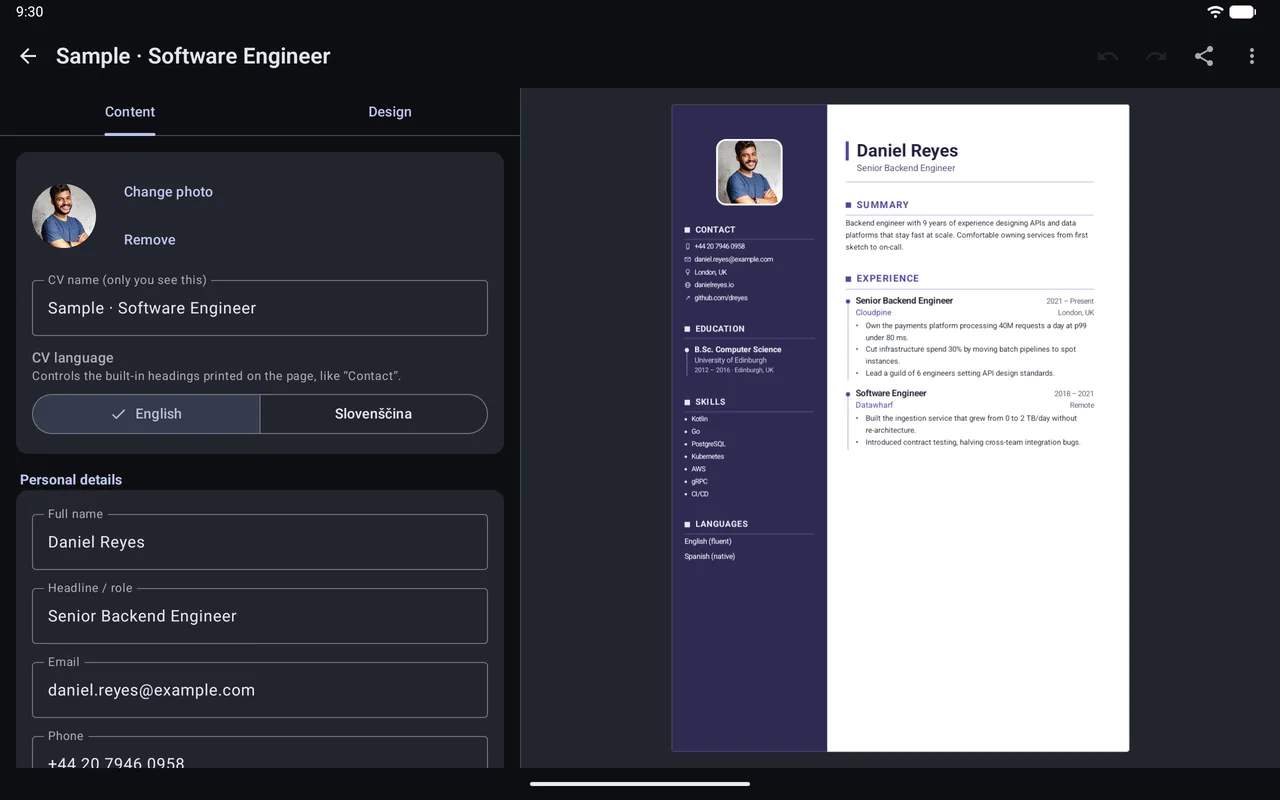
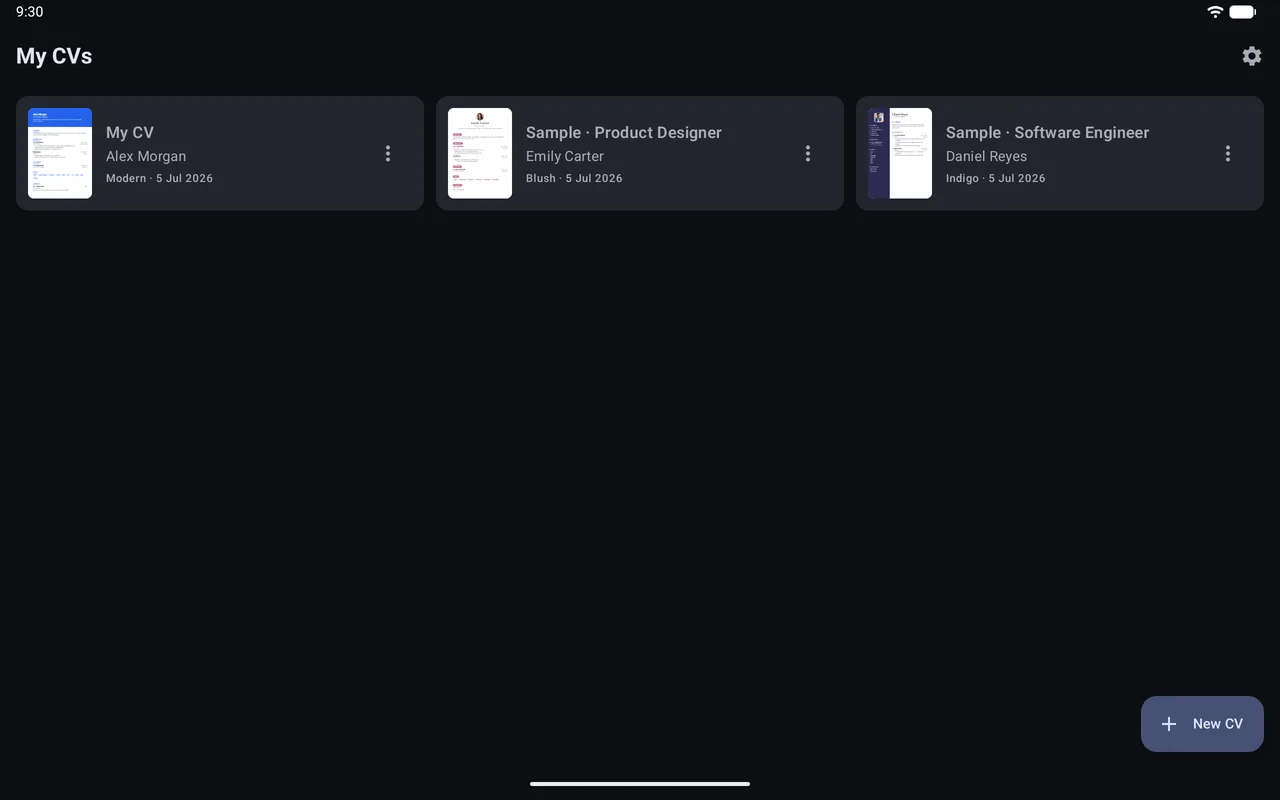
Editor and preview, side by side
On iPad the editor keeps the left half and the live preview the right, so you see the page change as you type. The screenshots below come from a 13-inch iPad Air.
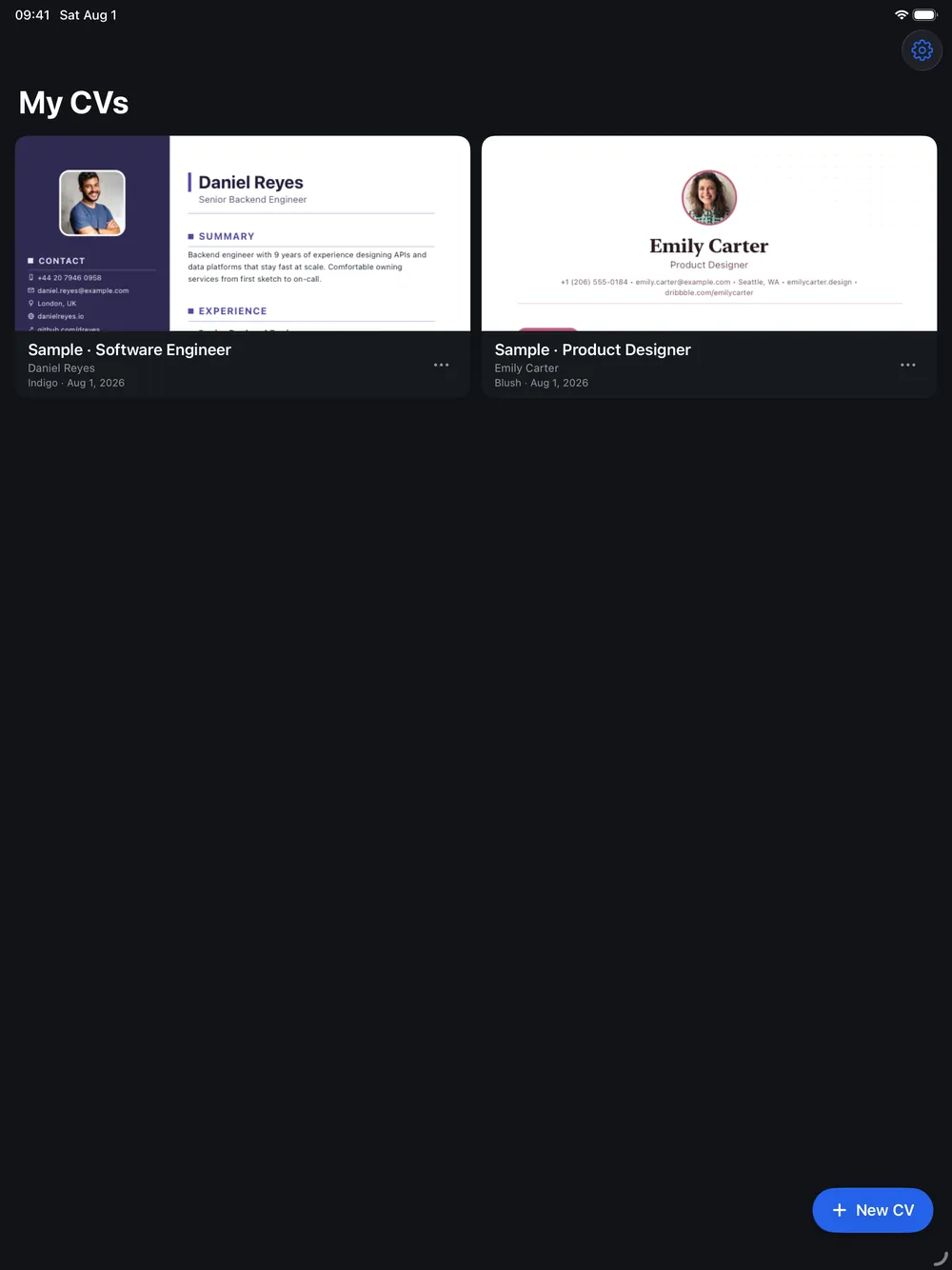
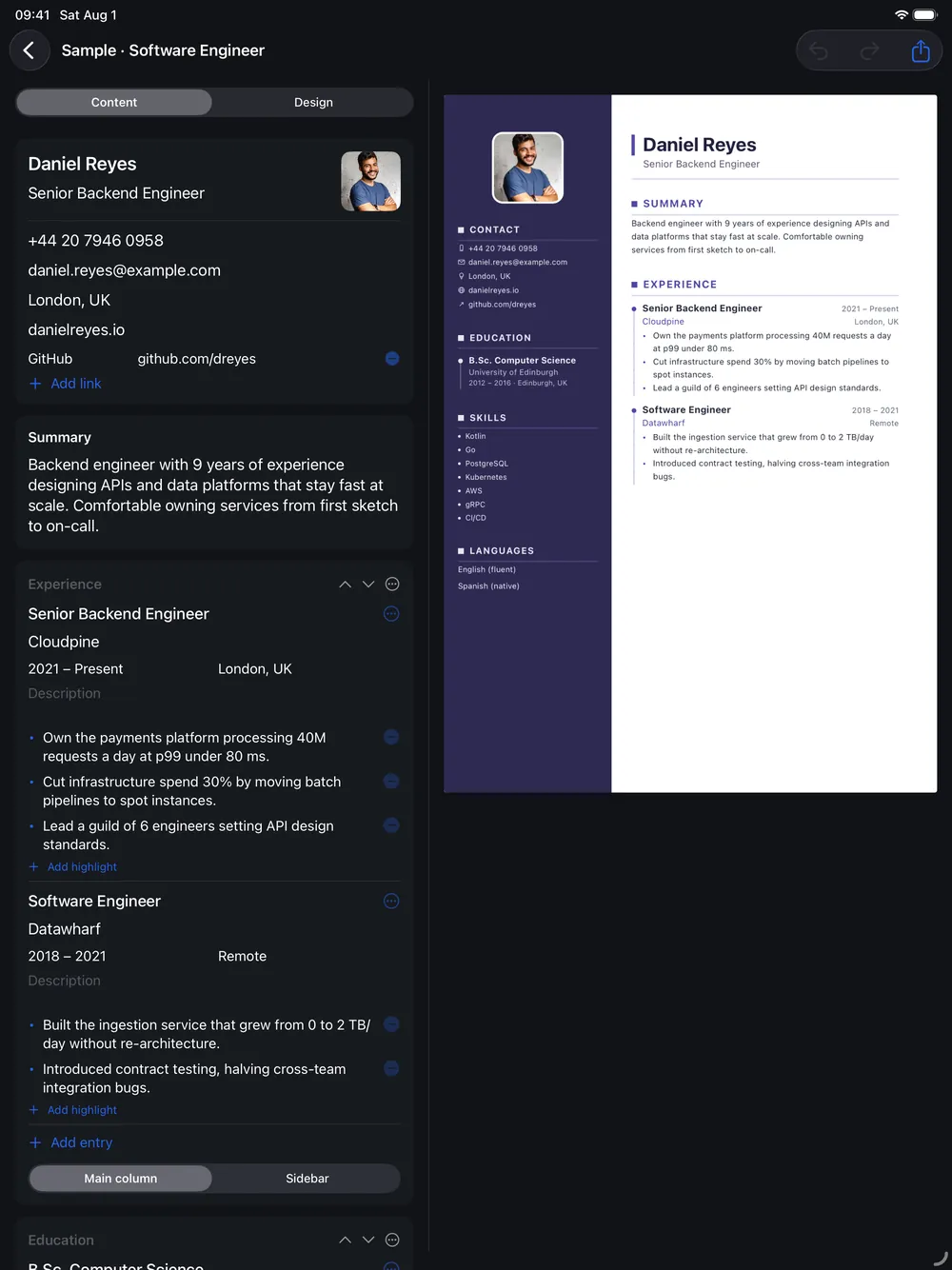
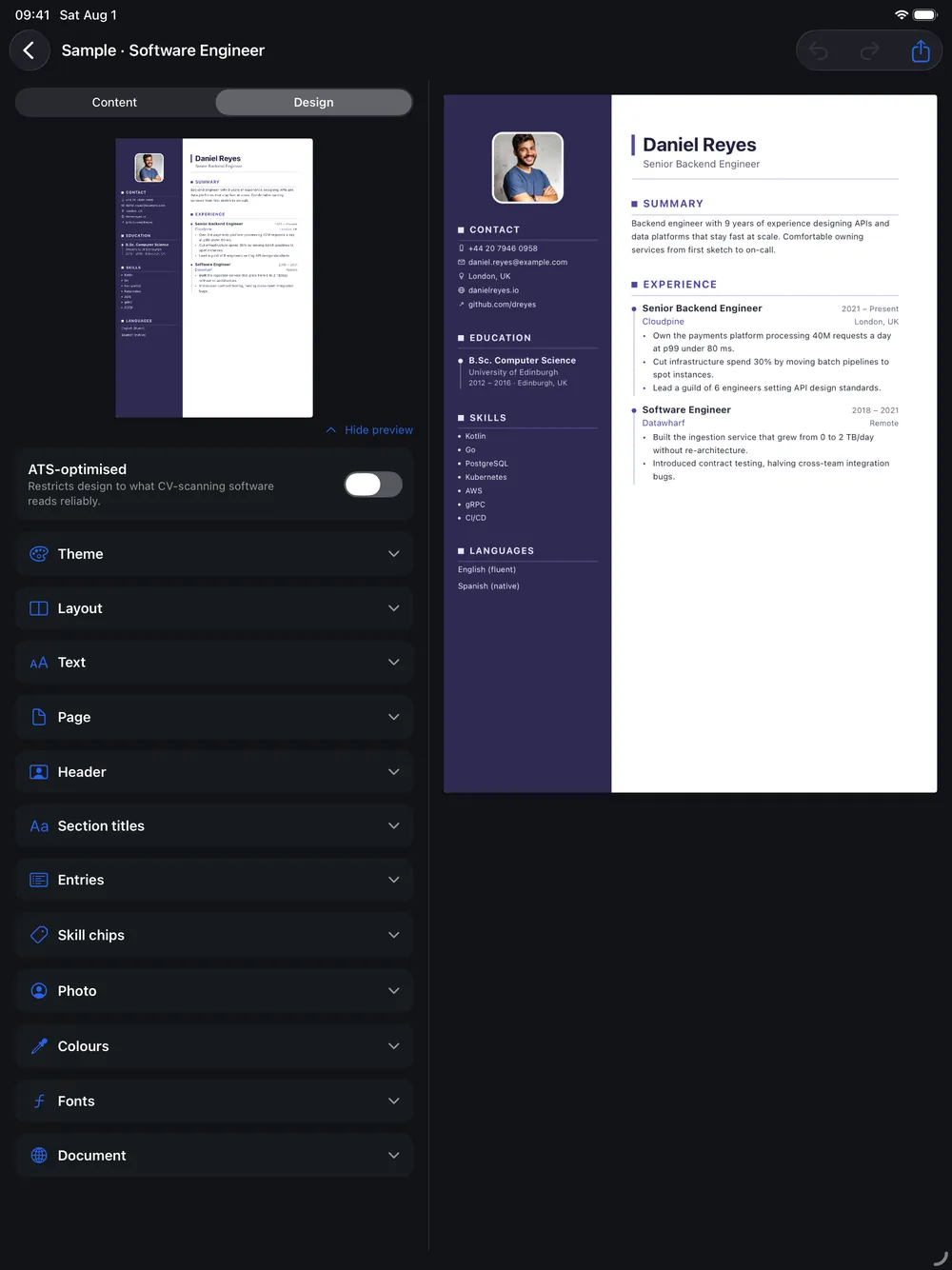
Built natively for iPhone and iPad
KeptCV for iOS is written in Swift and SwiftUI, not a wrapper around the Android app. It carries the same 26 themes, the same live preview and the same pixel-perfect PDF and Word export, and a .cvm file made on Android opens on iPhone and the other way round. On iPad the editor opens into the same two-pane workspace, with a two-page spread on wide screens. The screens above come straight from the iOS build.
Data and privacy
KeptCV works entirely on your device and requests no network permission. Your CVs, your photo and your settings are stored locally. To move a CV to another device, you export a portable .cvm file yourself.
Read the full KeptCV privacy policy.
Details
- Availability
- Available on Google PlayAvailable on the App Store
- Requires
- Android 14 or neweriOS 17 or newer
- Optimised for
- Phones · tablets · foldablesiPhone · iPad
- Version
- 1.11.0
- Languages
- English · Slovenian
- Export
- PDF · Word (.docx) · image · portable .cvm
- Permissions
- None
- Data
- Everything stays on your device, fully offline
- Built with
- Kotlin · Jetpack Compose · Material 3Swift · SwiftUI