
CookerBooker
A calm home for your recipes: cook hands-free with step timers, plan the week and build a shopping list from it, all in one app that runs entirely offline.
Drag through the app
Everything for home cooking, nothing you don't need
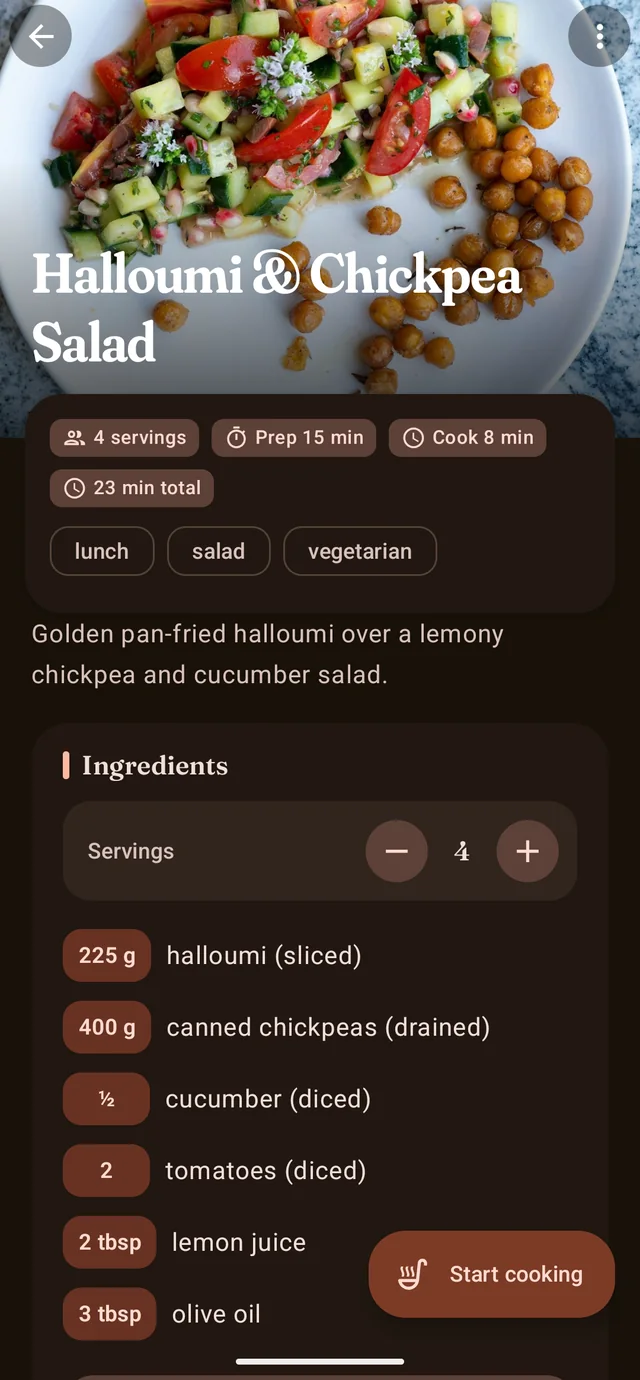
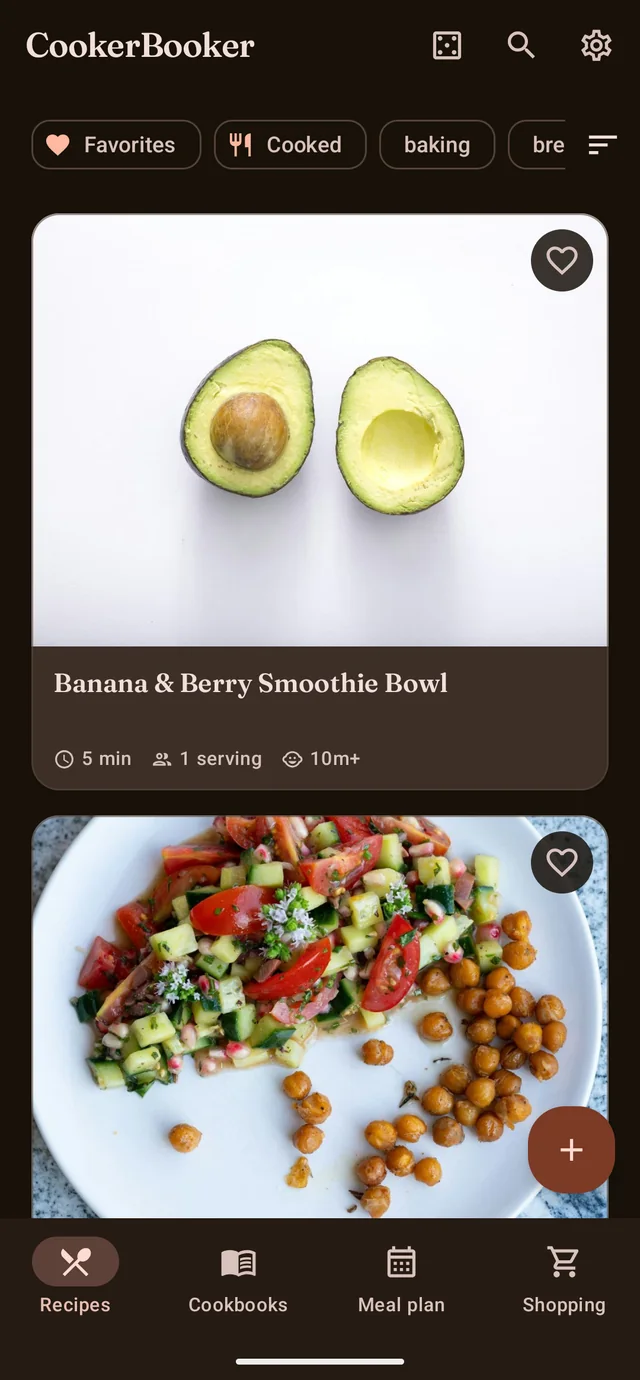
Save a recipe with a photo, steps and times, scale the servings and watch the quantities recalculate. Cook it hands-free with step timers that keep running when the phone locks, plan a week, and let the shopping list build itself from what you planned.
A cookbook in your pocket
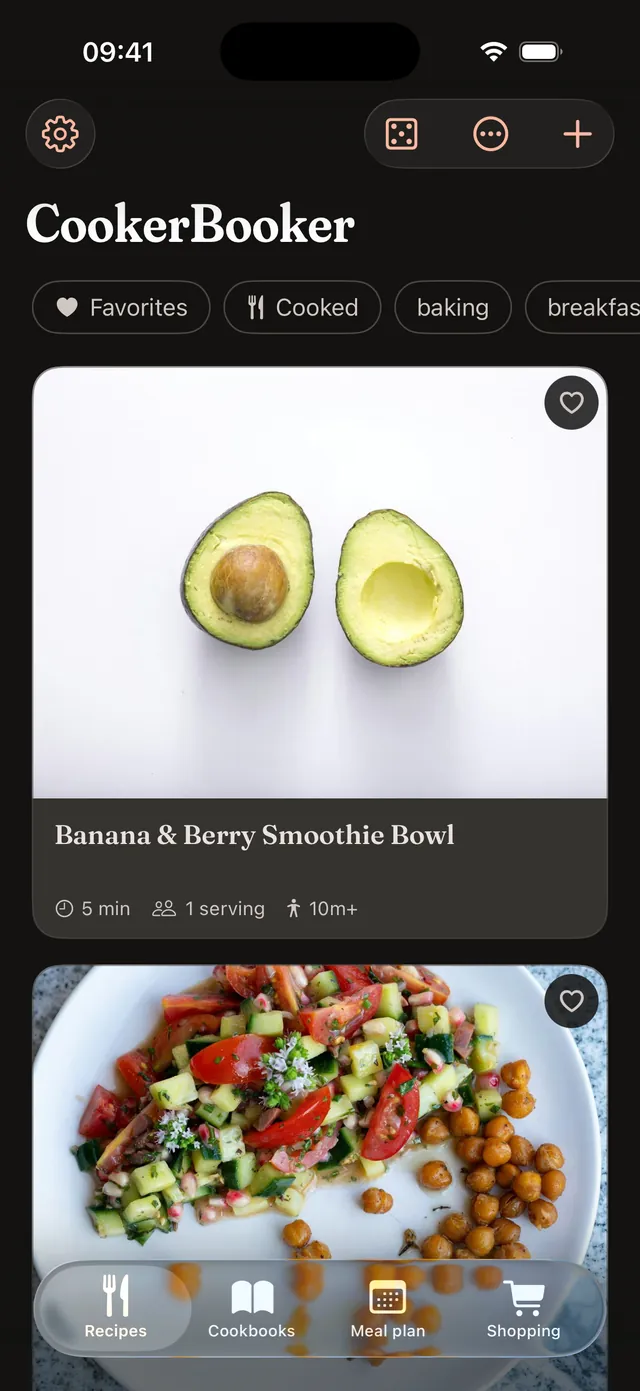
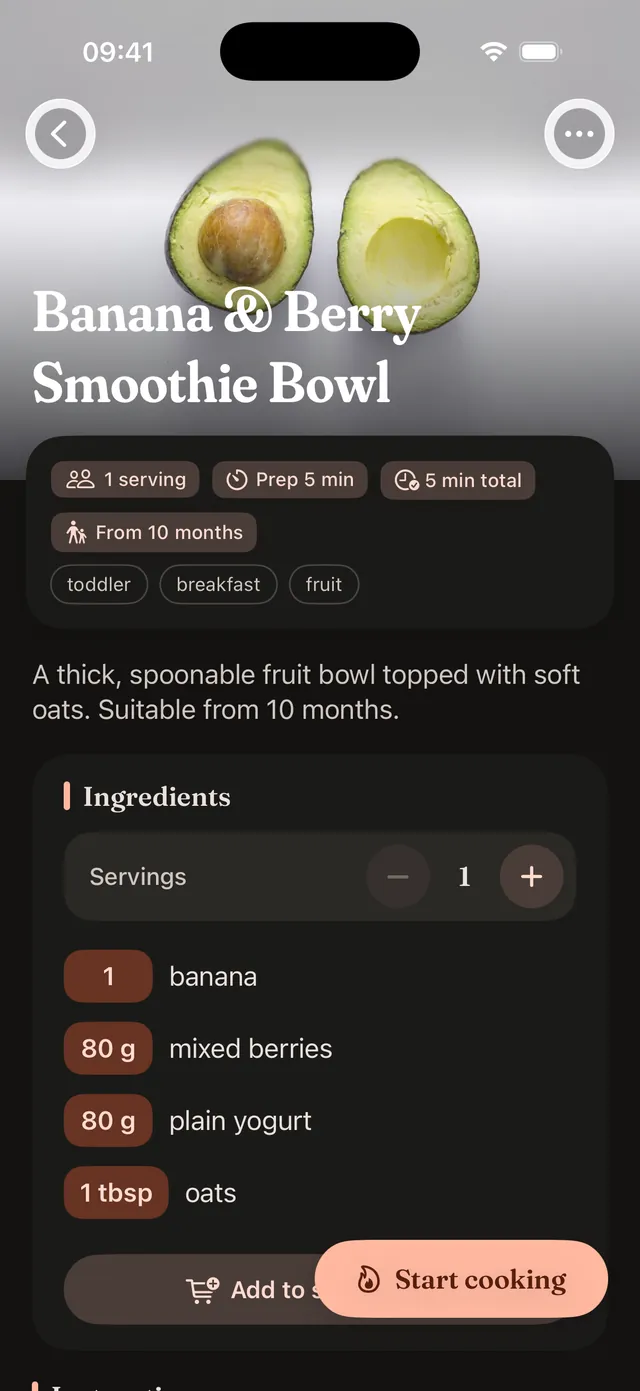
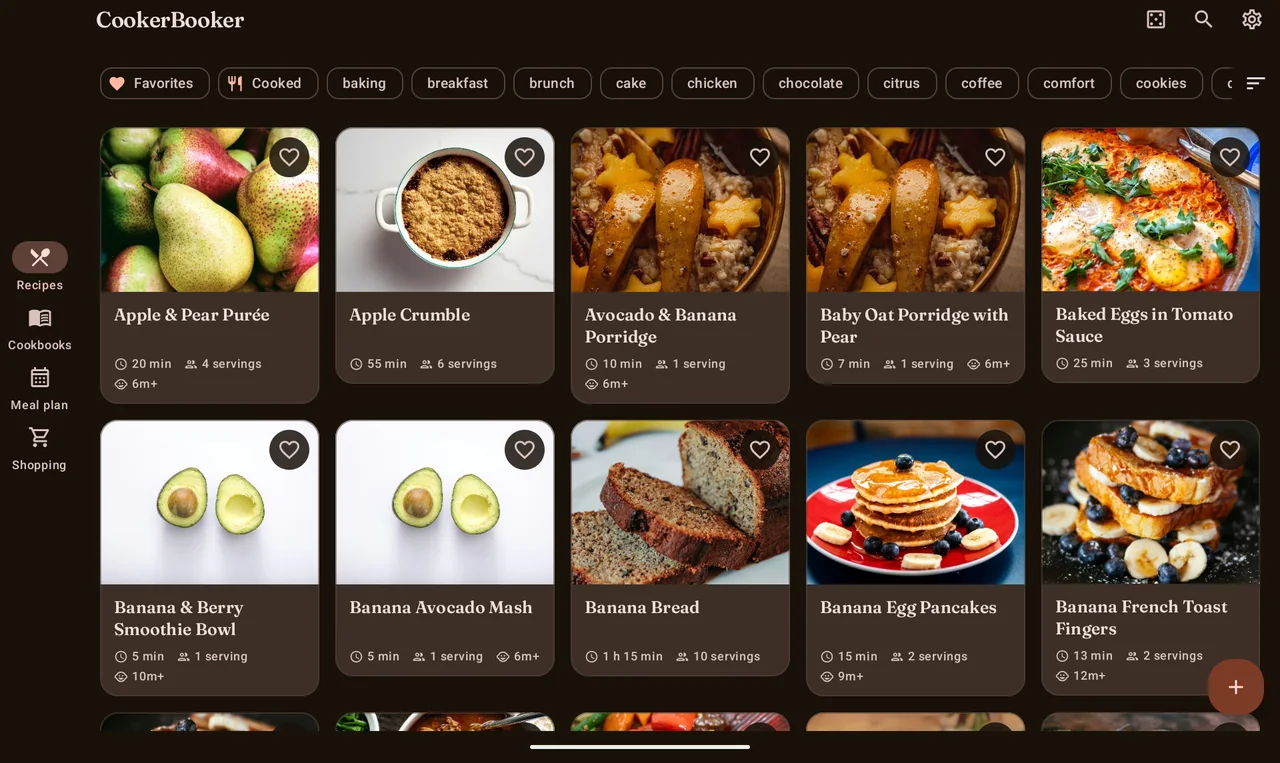
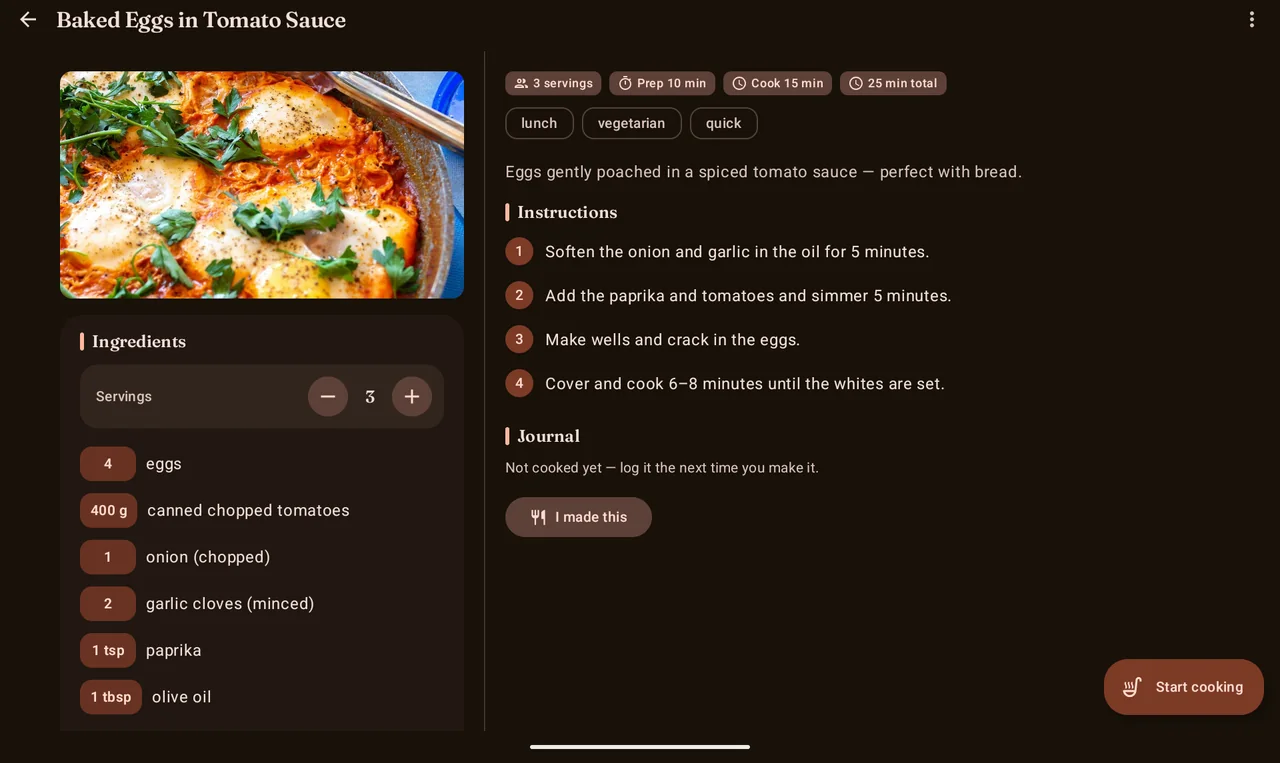
Save recipes with a photo, ingredients, steps, tags and prep and cook times. Scale the servings with a tap and the quantities recalculate.
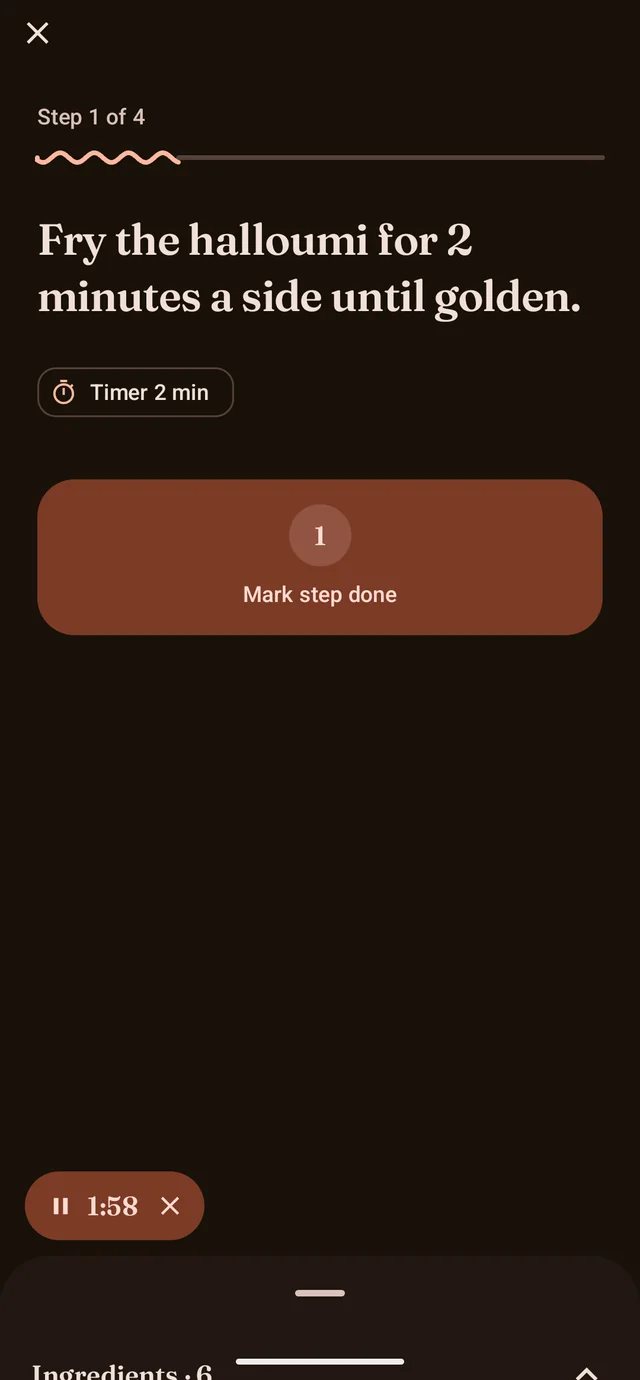
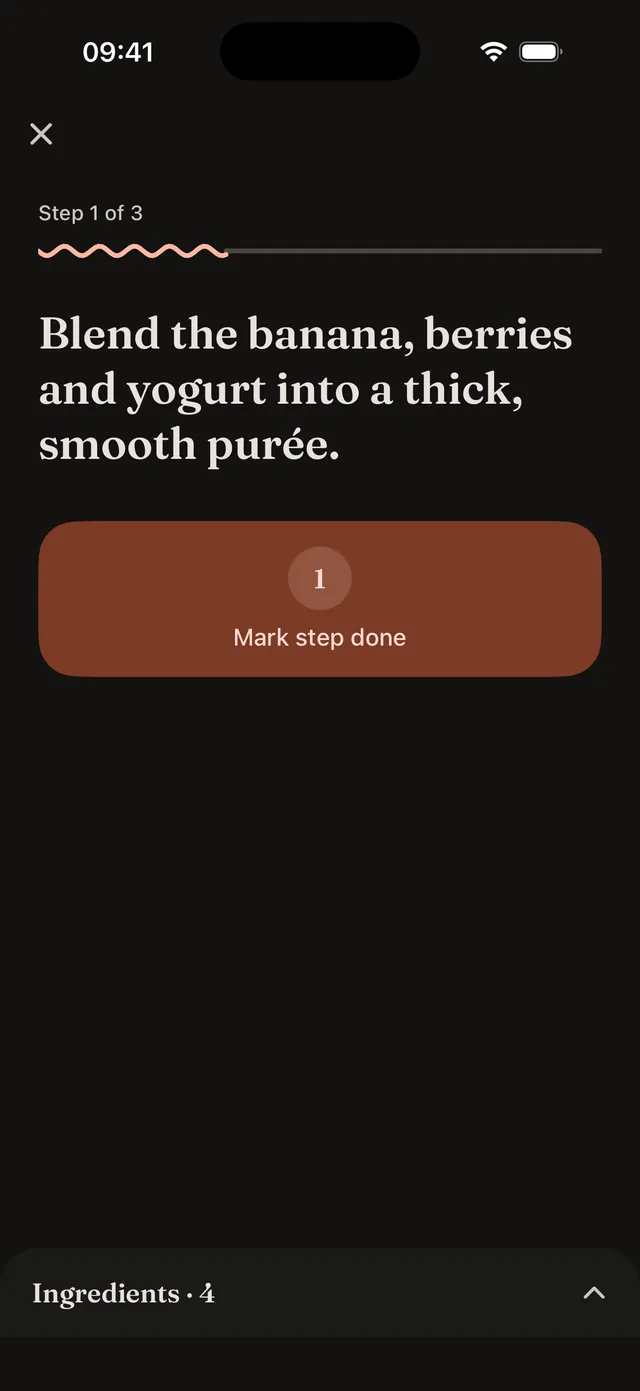
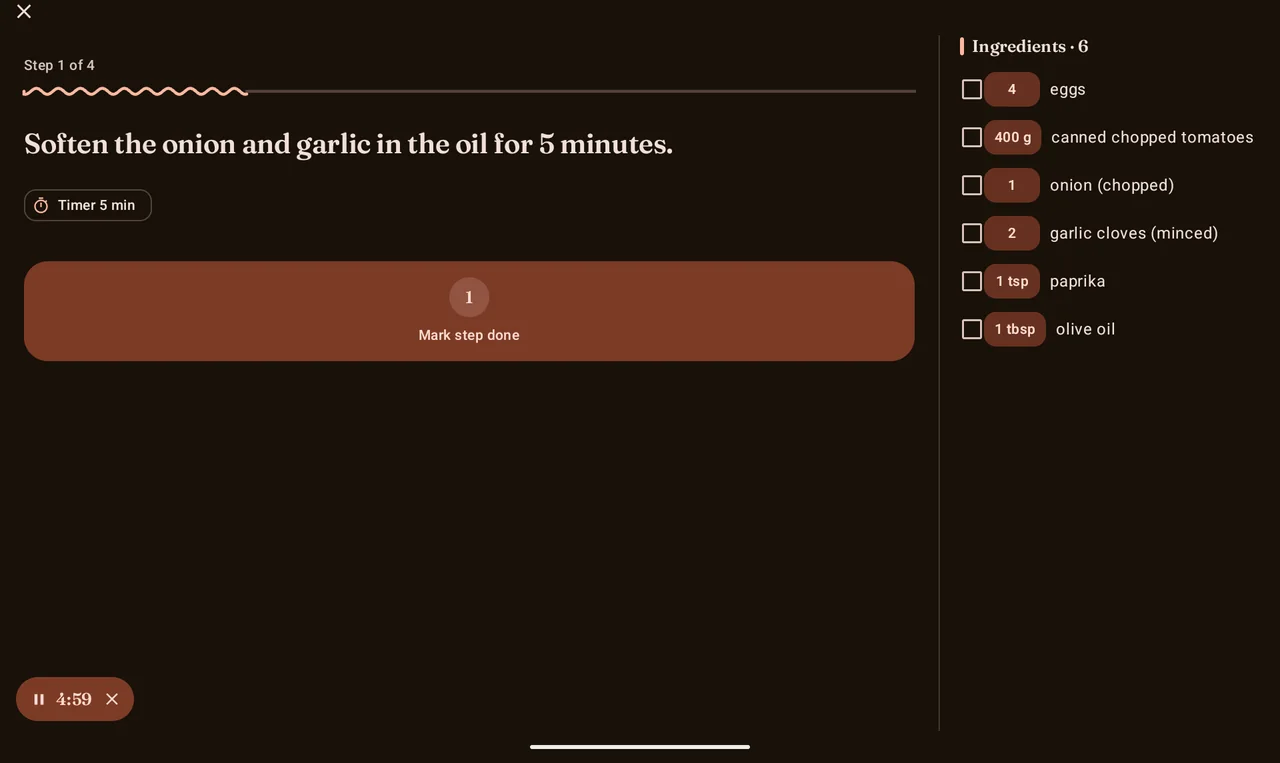
Cook mode with step timers
Follow one step at a time on a big, glanceable screen. Start a timer from a step and it keeps counting even after you leave the app or lock the phone.
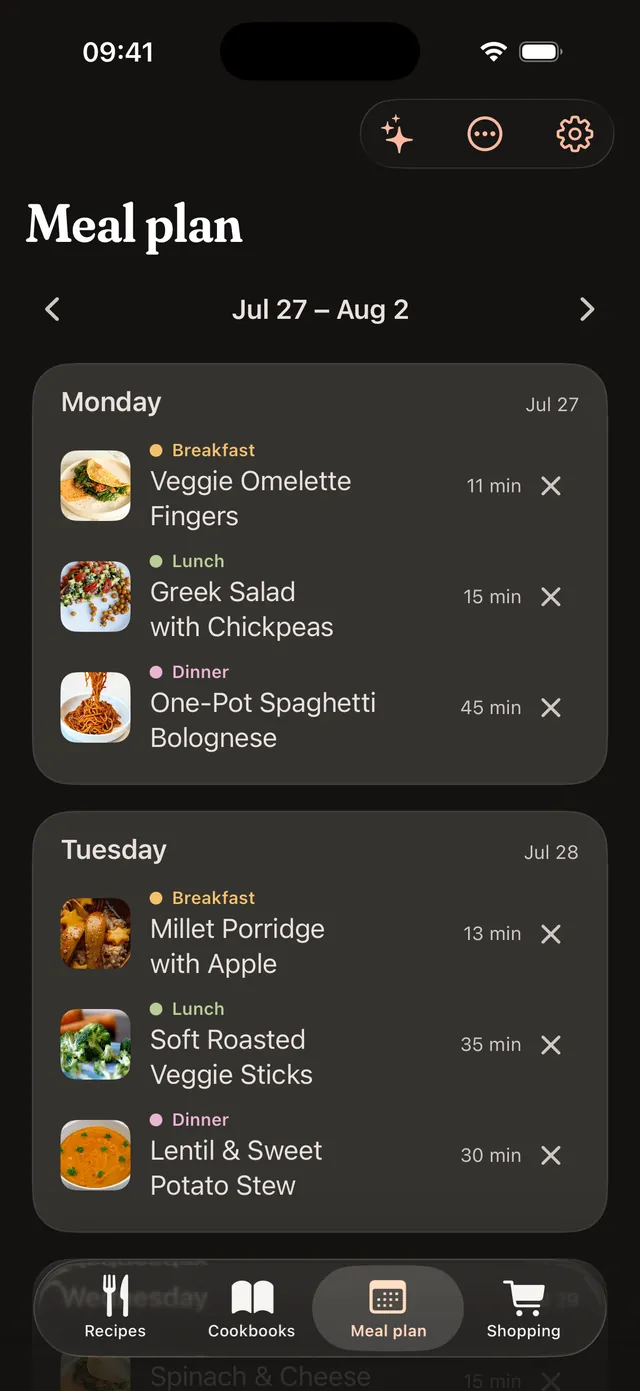
Plan your week
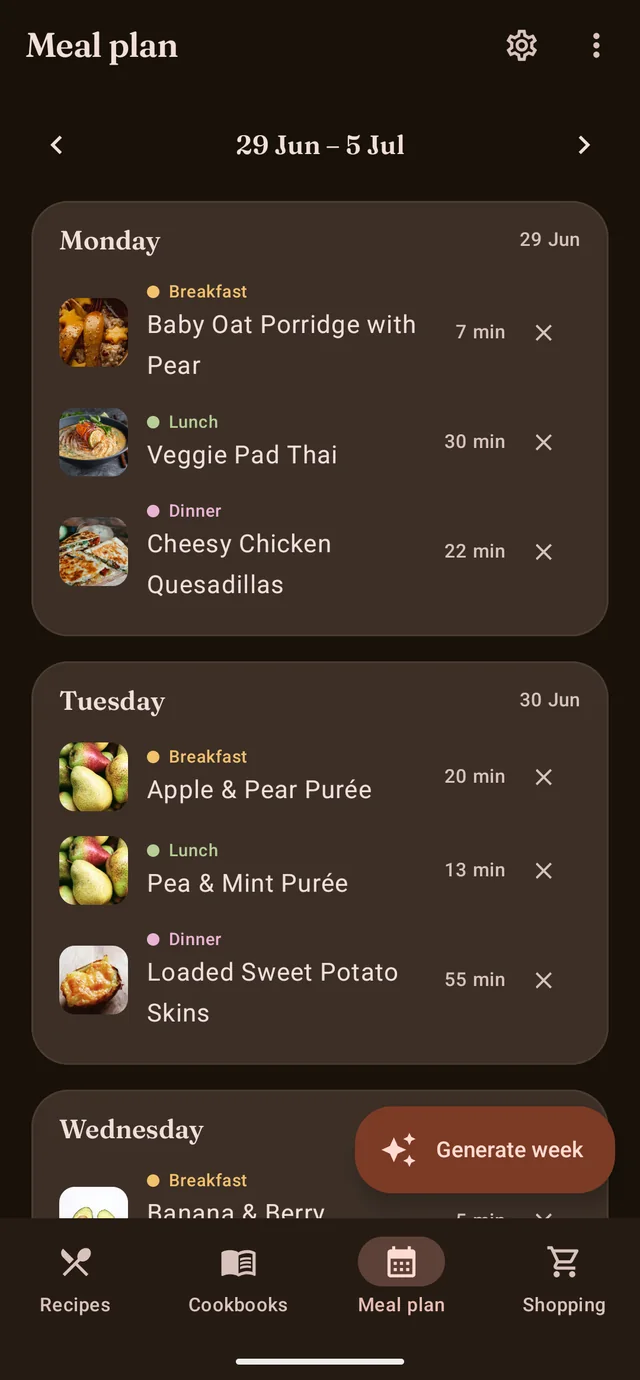
Drop recipes onto breakfast, lunch and dinner, or generate a balanced week from your collection in one tap. A home-screen widget shows today's meals.
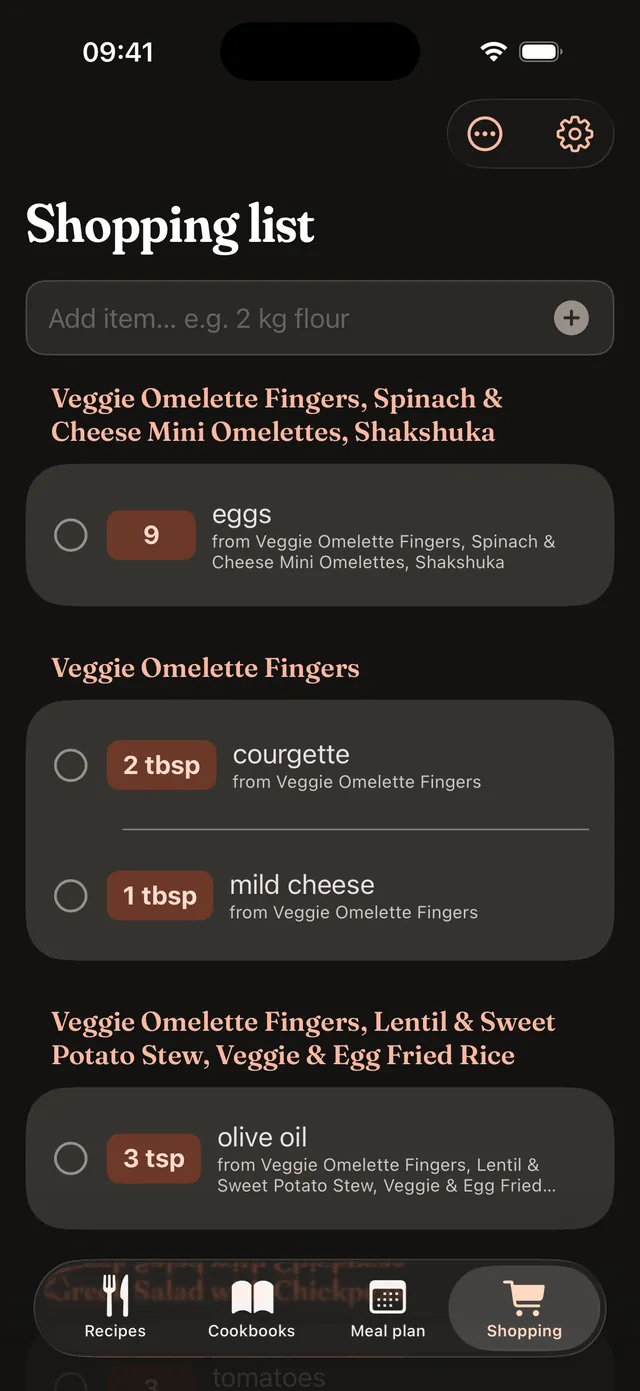
A shopping list that builds itself
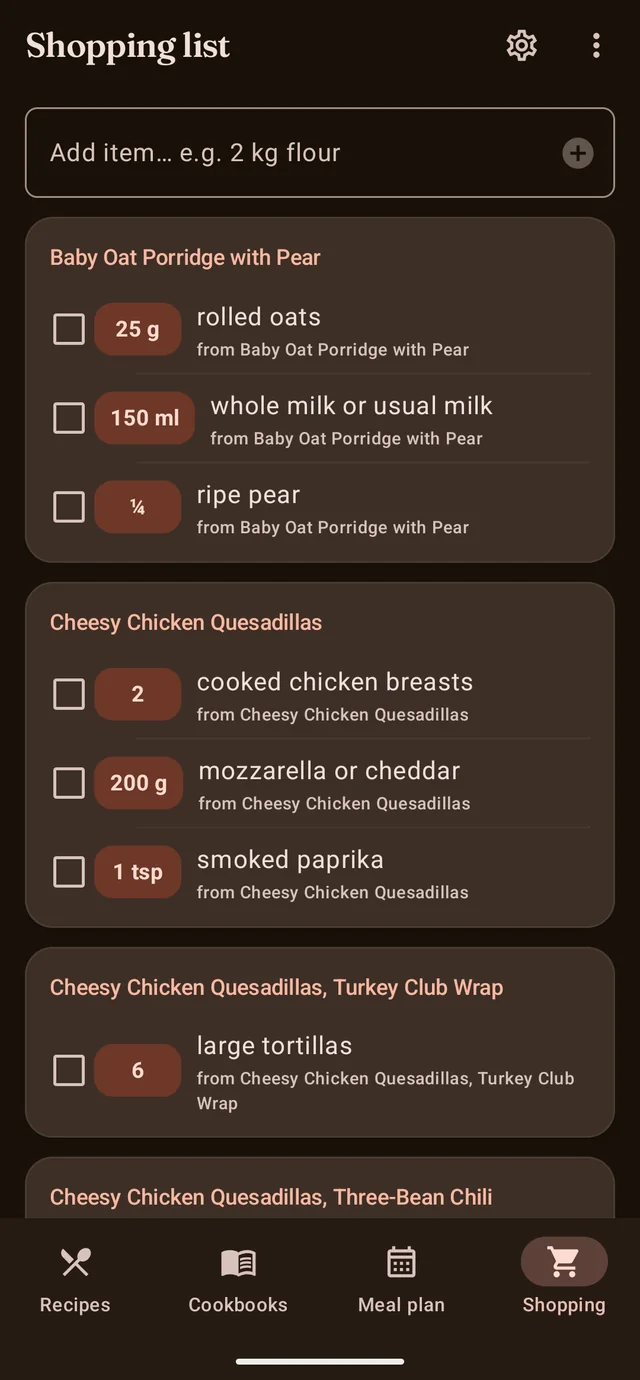
Add a recipe or a whole week and the ingredients fold into one tidy list, combined by name and unit. Check items off as you shop.
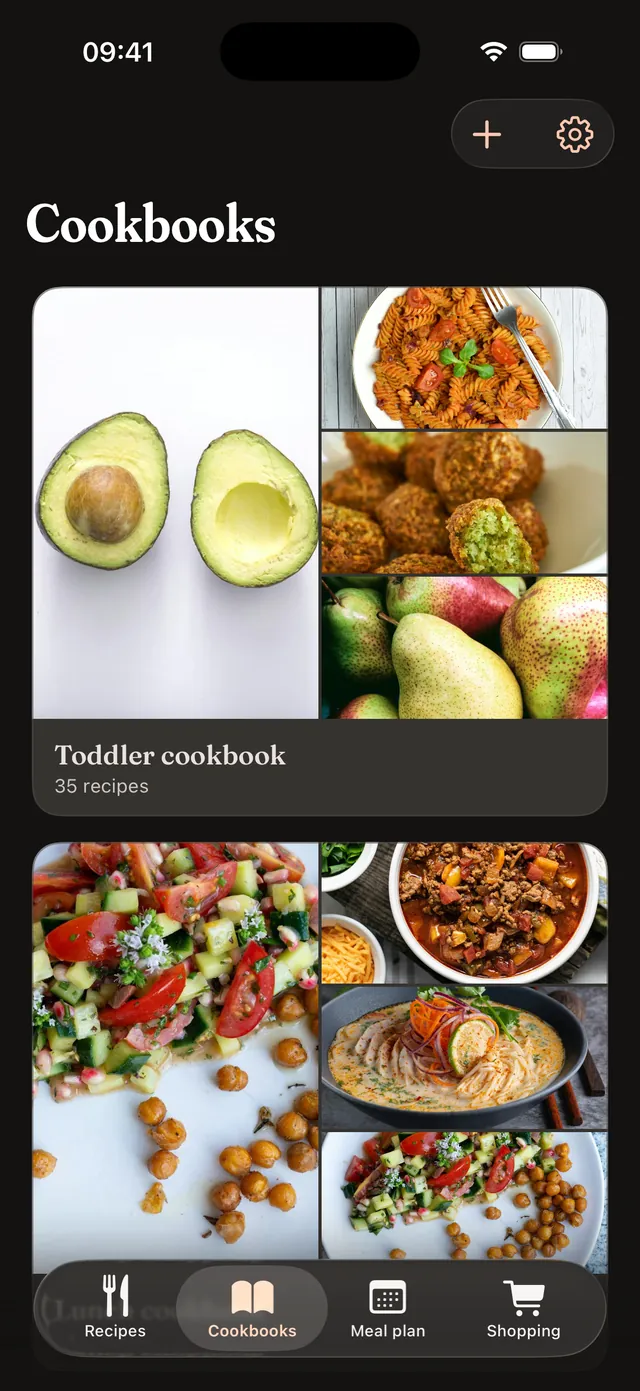
Cookbooks
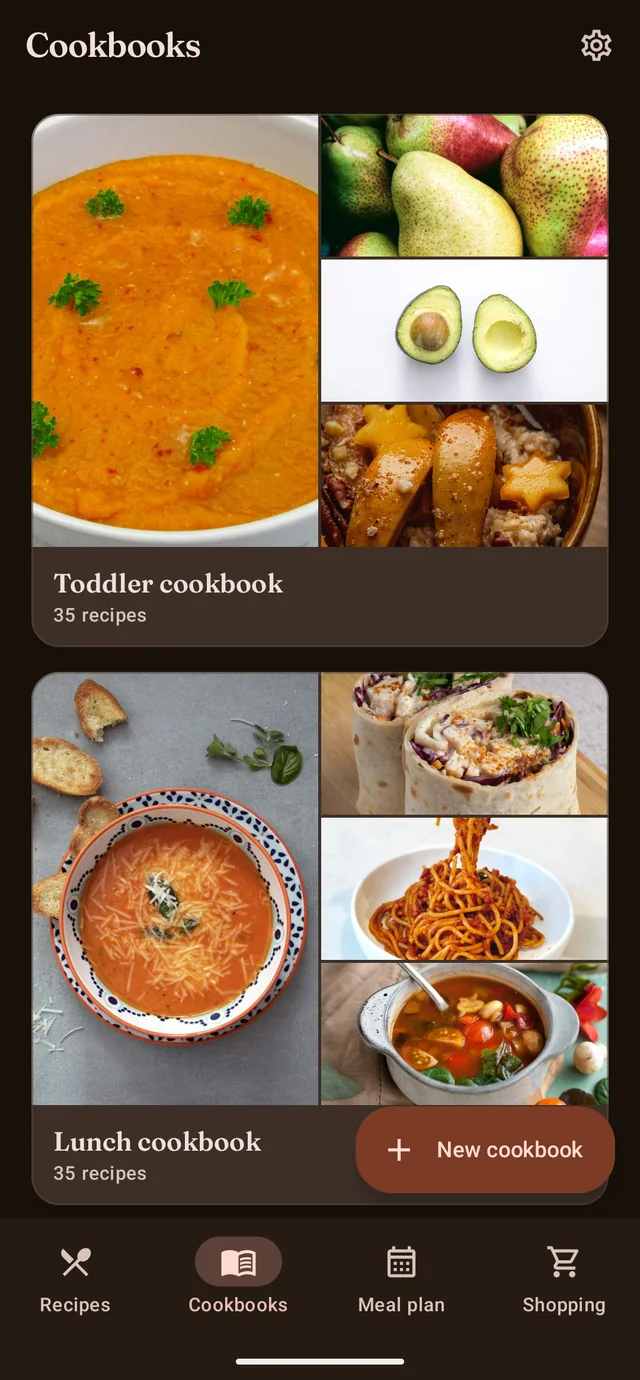
Group recipes into collections such as weeknight dinners, baking or toddler food. Each cover is a collage of your own recipe photos.
A cooking journal
Rate a dish and jot a note each time you make it. CookerBooker remembers how often you've cooked it and shows your latest rating.
119 recipes to start
Four starter cookbooks (toddler food, lunches, desserts and Slovenian cooking) come loaded, so the app is useful the moment you open it. Toddler recipes note a suitable age.
Back up and move your recipes
Export everything to a single .cookerbooker file and import it back whenever you need. A backup carries your whole collection to a new device, even across Android and iOS.
Make it yours
Four themes to choose from, including a warm dark brown. On Android, Material You can colour the whole app from your wallpaper, and a picker in Settings switches the language on the spot.
English and Slovenian
A fully localised app, and the bundled starter recipes are written natively in both languages, not machine translated.
Made for tablets and foldables, too
CookerBooker is not a stretched phone app. On a 10-inch tablet or an unfolded foldable a side rail replaces the bottom bar and every screen opens up: recipes spread into a multi-column grid, an open recipe shows its ingredients and method side by side, cook mode keeps a permanent ingredients panel next to the current step, and the weekly planner fans out into a full seven-day board. Rotate, fold or resize the window and the layout re-flows to fit, with everything staying exactly where you left it. The same layouts open up on iPad, too.
A cookbook the size of a cookbook
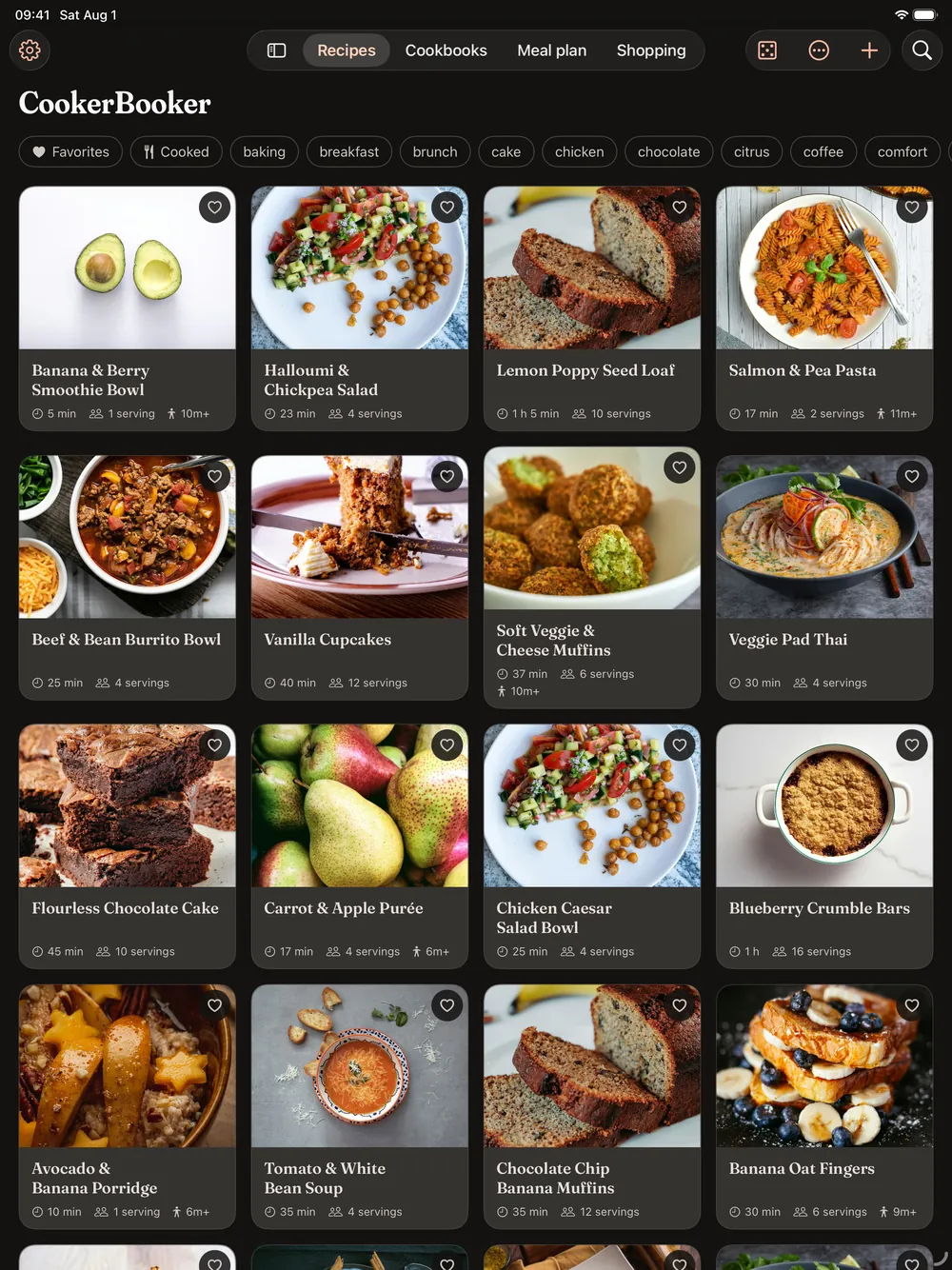
On iPad the recipe grid goes four wide, a recipe opens with its ingredients beside the method, and the meal plan shows a whole week without scrolling. The screenshots below come from a 13-inch iPad Air.
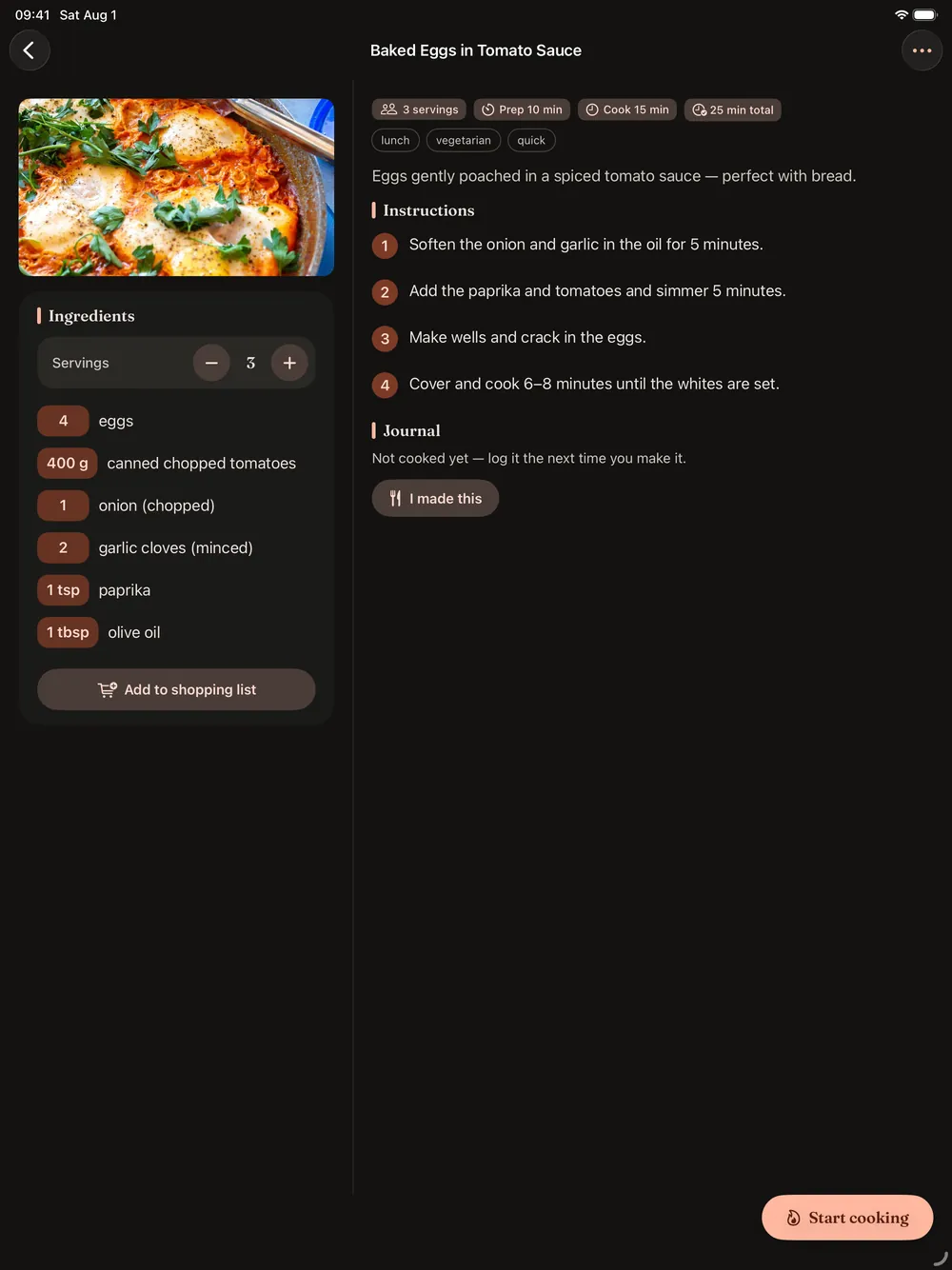
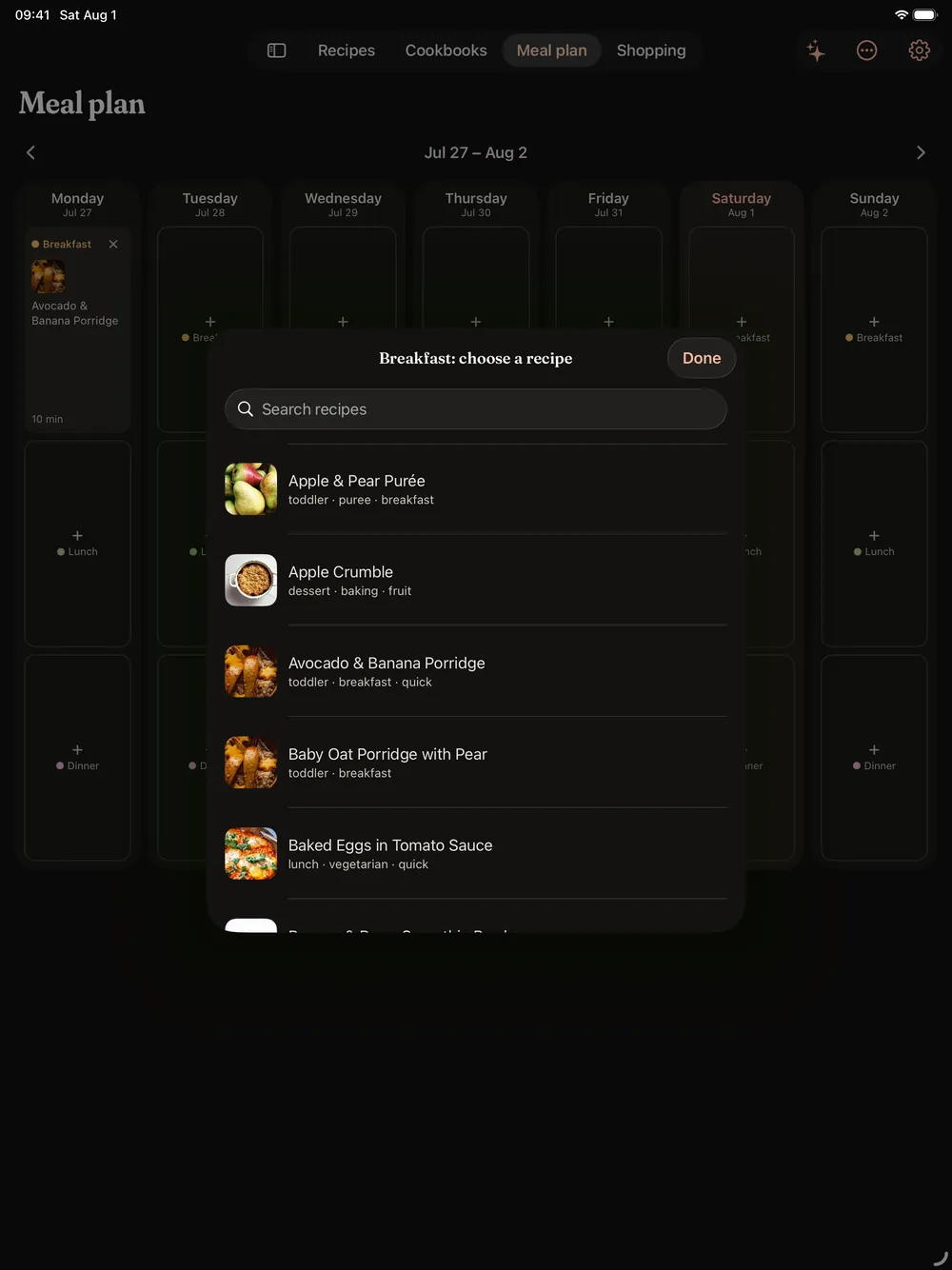
Built natively for iPhone and iPad
The iOS app is written natively in SwiftUI, not wrapped around the Android one, and carries the same core: recipes, cookbooks, the weekly planner, the shopping list, cook mode and the journal. A .cookerbooker backup made on either platform imports on the other, so your collection moves freely between Android and iOS. On iOS, cook timers ring as notifications. The screens above come straight from the iOS build.
Data and privacy
CookerBooker works entirely on your device and requests no internet permission. Your recipes, photos, meal plans and shopping lists are stored locally. To back them up or move to a new device, you export a file yourself.
Read the full CookerBooker privacy policy.
Details
- Availability
- Available on Google PlayComing soon to the App Store
- Requires
- Android 15 or neweriOS 18 or newer
- Version
- 1.2
- Languages
- English · Slovenian
- Permissions
- Notifications (optional, for cook timers)
- Data
- Everything stays on your device, fully offline
- Built with
- Kotlin · Jetpack ComposeSwift · SwiftUI